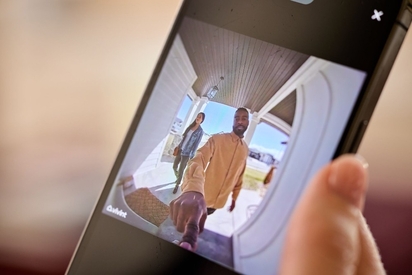
Learn what you can do from a security camera app, from viewing live or recorded footage to two-way talk with visitors and family members.
Maximizing Coverage: Where To Place Your Outdoor Wireless Security Cameras
Quick answer: For optimal outdoor security camera placement, prioritize covering all entry points—especially front and back doors. Mount cameras approximately 9 feet high to prevent tampering while maintaining clear picture of what's happening on the ground, and position them to eliminate blind spots in vulnerable areas like side yards and corners.
Key takeaways:
- Prioritize entry points. Install cameras at doors, windows, garages, and driveways for comprehensive coverage.
- Mount up high. Position cameras 9 feet high. This height prevents tampering while still capturing clear details.
- Eliminate blind spots. Make sure vulnerable areas like side yards, basement windows, and areas around shrubs are covered.
- Use wide-angle lenses. Cameras with at least a 140-degree field of view maximize your coverage.
Outdoor wireless security cameras are Wi-Fi-connected or battery-powered surveillance cameras designed to monitor the exterior of a home without requiring a hardwired connection. Since homes without security systems are 3x more likely to be burglarized, these cameras have become essential for modern home protection.
In this guide, we’ll explore the specifics of wired versus wireless surveillance cameras, connectivity requirements, and where you should place your outdoor security cameras for maximum home protection by avoiding key blind spots.
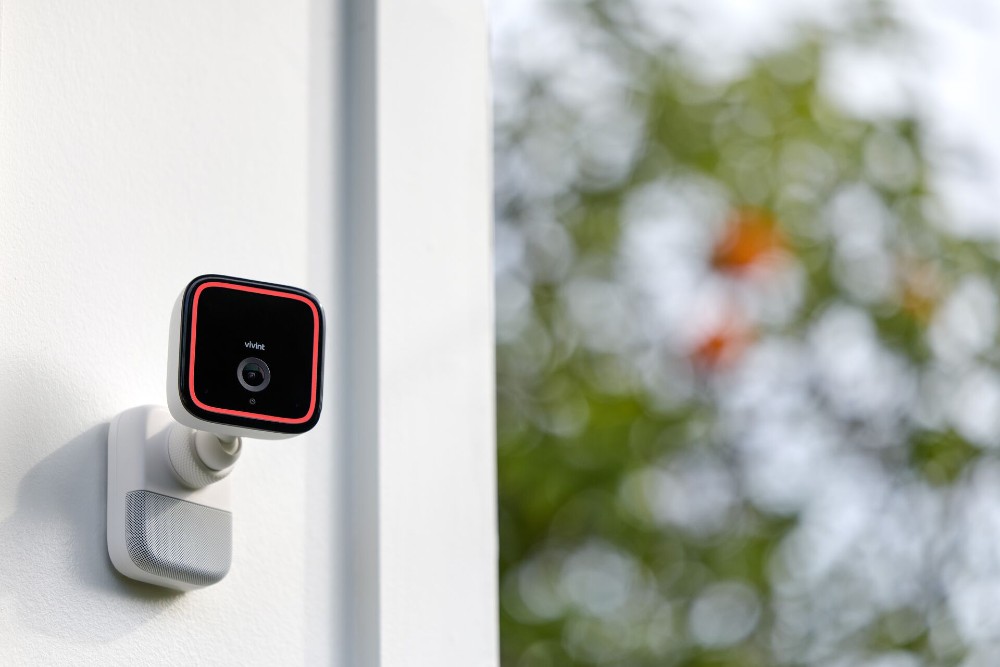
Where is the best place to install outdoor cameras?
Placing your security cameras strategically around your home is crucial for maximizing their effectiveness. Here’s how to place security cameras for the tightest home security:
- Front door. The most common entry point for burglars is the front door. Install an outdoor camera with a clear view of anyone approaching.
- Back door. Back doors are commonly targeted because they are less visible from the street.
- Garage. Garages are both common entry points and common crime scenes. A security camera that monitors the garage protects vehicles and stored valuables.
- First-floor windows. Windows are an easy entry point to your home. Make sure to also protect windows that are hidden from street view or near trees and shrubs.
- Driveway. Monitor vehicles and approaching visitors with a camera that monitors your driveway.
For each location, follow these best practices:
- Position for clear views. Position your cameras so you have a clear view of all your home's access points. Doors and windows are the most common areas targeted by burglars.
- Eliminate blind spots. Make sure potential blind spots are covered by having your cameras' field of view cover all parts of your property. Think side yards, basement windows, areas behind large shrubs, corners of the house, and narrow side passages.
- Focus on high-traffic areas. It's helpful to have footage of spots where there is a lot of activity.
- Deter with visibility. Cameras placed in prominent locations can deter criminal activity. Research from the University of North Carolina found that the presence of an alarm system would cause burglars to seek a different target.
Hidden cameras have their benefits as well, but sometimes, all it takes to prevent a break-in is for the potential burglar to see that you have security cameras that will catch them in the act.
How do outdoor security cameras work?
Outdoor security cameras help monitor and secure the perimeter of your home. These devices connect to your home’s network, so you can tap into a live view and record footage from anywhere.
- Power options. Outdoor cameras may be equipped with a power adapter, but some feature a rechargeable battery for wire-free installation.
- POE cameras. Power Over Ethernet (PoE)—a technology that delivers power and data through the same ethernet cable—simplifies wiring and enhances reliability.
- Storage solutions. These cameras often support microSD cards, providing local backup of video recordings.
- Notifications. Many outdoor cameras are designed to send notifications to your phone or device, alerting you to motion and other triggers.
- Ease of use. Plug-in models offer quick setup and continuous power, making them a convenient choice for continuous surveillance.
Modern home security cameras also come equipped with a variety of advanced features that enhance their functionality.
- Night vision. Look for cameras with night vision to maintain a clear view even in low-light conditions.
- PTZ cameras. Pan-tilt-zoom (PTZ) cameras offer the ability to cover wide areas with a single device by moving and zooming to follow motion.
- Motion detection. Motion detection features can trigger alerts and recordings when movement is detected, reducing the need for constant monitoring.
- Weatherproofing. Ensure your cameras are weatherproof to withstand harsh weather conditions.
- Wide-angle lenses. Consider models with wide-angle lenses (at least 140 degrees) to cover more ground.
These features collectively enhance the security measures of your home, providing continuous surveillance and reducing the risk of security breaches.
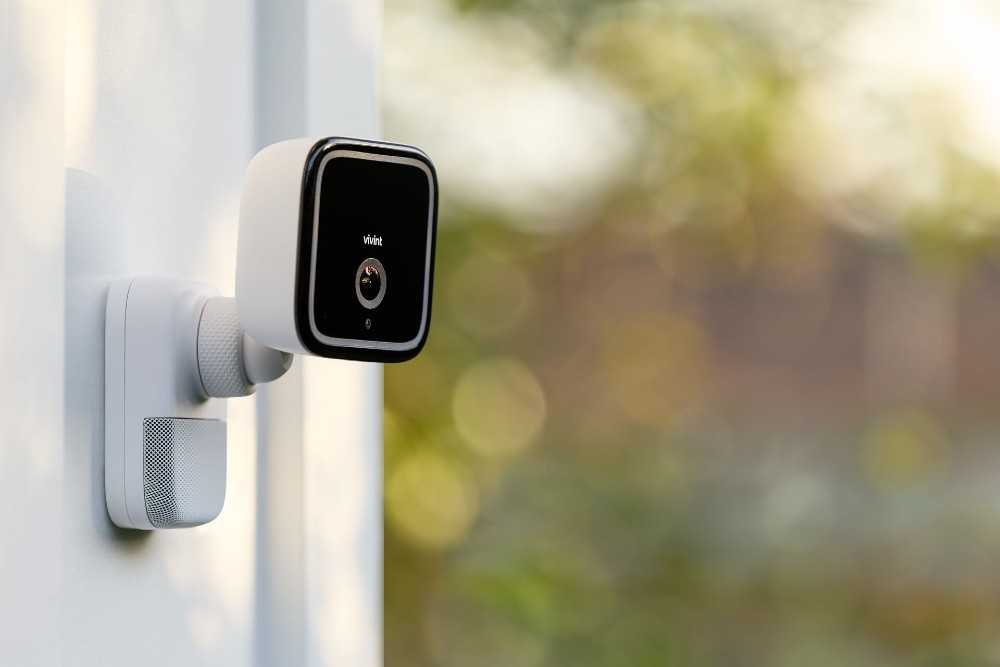
Wired vs. wireless: Which is better for you?
When deciding between wired and wireless security cameras, consider your specific needs and home setup.
| Feature | Wireless Cameras | Wireled Cameras | Hybrid Systems |
|---|---|---|---|
| Power Source | Hardwired to home electrical | Battery or solar-powered | Combination of both |
| Installation | Complex; may require professional help | Simple DIY setup | Professional installation recommended |
| Reliability | Highly reliable; no signal interference | Dependent on Wi-Fi strength | Balanced reliability |
| Best For | Permanent installations, large properties | Renters, flexible setups | Homeowners wanting the benefits of both camera types |
Wired cameras connect directly to your home’s power and network system, offering reliability and continuous operation without the need for battery changes. These systems are particularly effective as part of a comprehensive security camera system and are less susceptible to interruptions from weak Wi-Fi signals. However, installation can be complex and may require professional help.
Wireless cameras provide more flexibility and easy installation. They communicate over Wi-Fi, meaning you can place your security cameras almost anywhere within range of your network. This makes them ideal for renters or anyone looking for a customizable security setup that can evolve with their needs.
Related article
Understanding Wireless Communication in Doorbell Cameras
Connectivity requirements: Do all cameras need Wi-Fi?
Not all outdoor security cameras depend solely on Wi-Fi for their functionality. While Wi-Fi security cameras offer convenient remote access and real-time alerts, there are alternatives for areas with limited or unreliable internet service:
- Local storage options. Some models are equipped with microSD cards, allowing them to record and store video without a network connection.
- Cellular network compatibility. Certain wireless security cameras can operate over cellular networks, offering flexibility and coverage in areas with limited Wi-Fi access.
These options let homeowners choose the best security solution to meet their home’s unique needs.
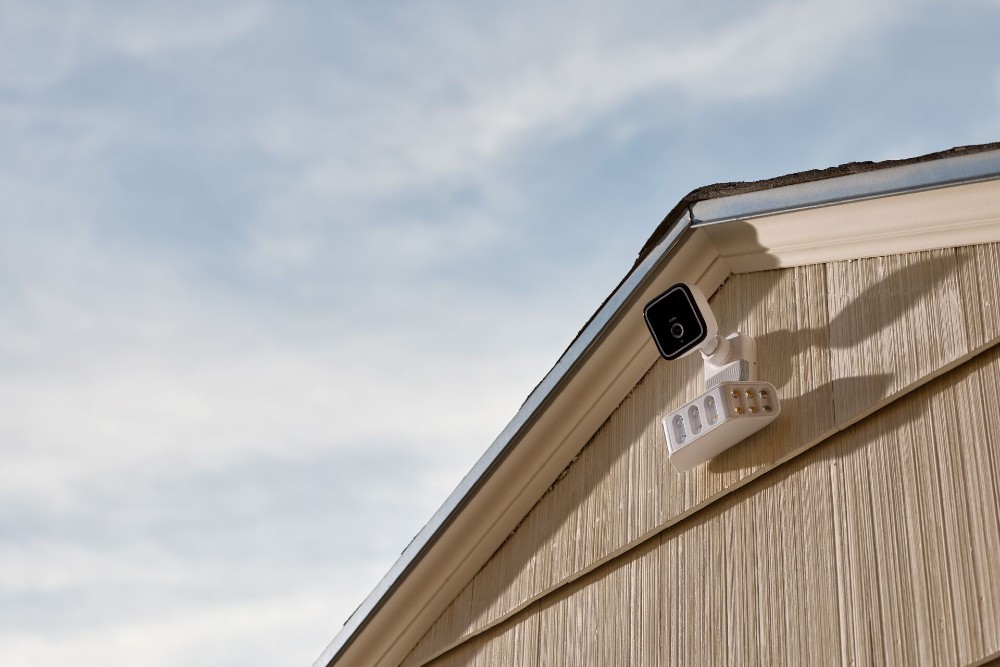
Integrating security cameras with your home network
Combining your security camera system with your home network can significantly improve its efficiency and accessibility.
Integrating security cameras with smart home systems, in particular, can significantly enhance the security and functionality of your home. Here's how to make the most of this integration:
- Seamless connectivity. Integrate your security cameras with your existing smart home devices, such as smart locks and lights, for a comprehensive security solution.
- Centralized control. For convenience and ease of use, use a single app or hub to manage all your smart home devices, including security cameras.
- Automated responses. Program your smart home system to trigger specific actions based on camera alerts, such as turning on lights or locking doors when motion is detected.
- Enhanced monitoring. Combine your security cameras with other smart devices, like door sensors and motion detectors, to create a robust wireless alarm system that covers all entry points and vulnerable areas.
Here’s what you need to consider in order to integrate these systems effectively:
- Wi-Fi router capability. Ensure that your Wi-Fi router is capable of handling the additional load of multiple connected devices.
- Camera positioning. Position cameras within range of your Wi-Fi signal to ensure reliable connectivity.
- Wired and cellular options. Some cameras offer wired options or can operate over cellular networks if Wi-Fi is unavailable.
- Power source flexibility. Battery-powered or solar panel-compatible cameras provide flexibility in placement, especially in areas without direct access to power sources.
- Indoor camera monitoring. Additionally, indoor cameras can monitor common areas like the living room, providing added security.
By optimizing your security camera placement and integrating them with your home network and other smart devices, you enhance your home’s overall surveillance system, ensuring better protection against potential intruders and vandalism.
Related article
How Do Doorbell Cameras Work?
How to prevent tampering and vandalism
Protecting your security cameras from tampering and vandalism is crucial to maintaining the integrity of your home security system. Here are some strategies to prevent tampering:
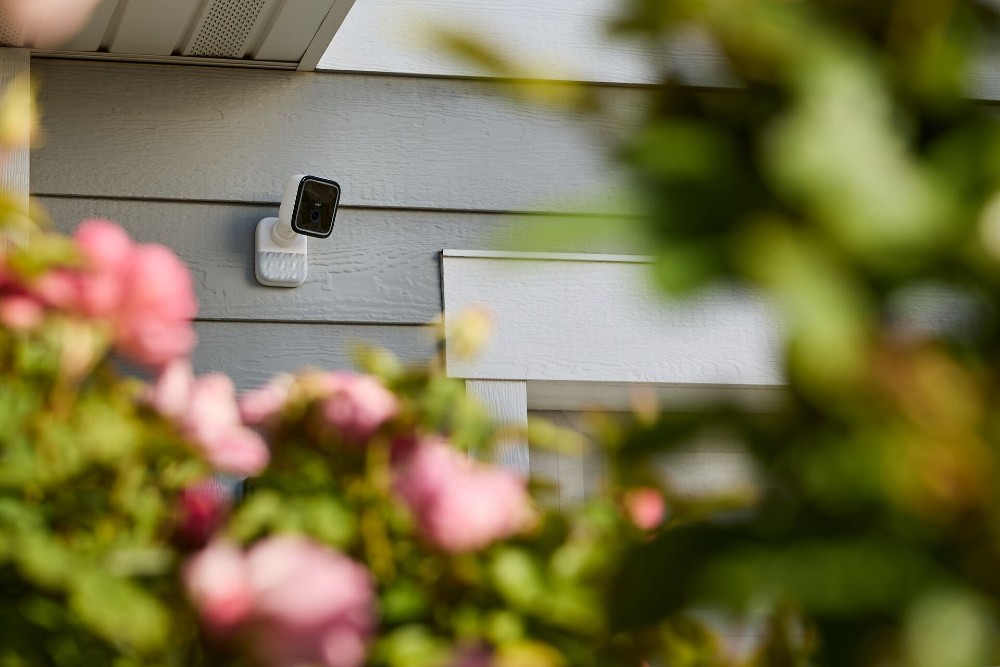
- High placement. Install cameras at approximately 9 feet high. This height is difficult for potential intruders to reach, but is still close enough to capture clear details.
- Protective housings. Use protective casings or covers that shield cameras from physical damage and weather conditions.
- Tamper alerts. Consider cameras with tamper detection features that send alerts if the camera is moved or damaged.
- Regular maintenance. Conduct regular checks and maintenance to ensure cameras are functioning correctly and are free from obstructions or damage.
These tips will help keep your outdoor security cameras in good working order so they can prevent uninvited guests from entering your home.
Choosing the right security camera
Selecting the right security camera is crucial for effective home security. Consider the following factors to make sure you choose the best option for your home:
- Field of view. Look for cameras with a wide field of view (at least 140 degrees) to cover more area and reduce the number of cameras needed.
- Resolution. Higher-resolution cameras (1080p or 4K) provide clearer images, making it easier to identify faces and details.
- Power sources. Choose between wired, battery-powered, or solar-powered cameras depending on your installation preferences and power availability.
- Weatherproofing. Ensure your outdoor cameras are weatherproof to withstand various weather conditions and provide reliable performance year-round.
Related article
The Best Places to Mount an Outdoor Security Camera
Top outdoor security camera: Vivint Outdoor Camera Pro
The Vivint Outdoor Camera Pro is renowned for its comprehensive security features and superior performance. Here are some of its key features:
- Vivint Smart Deter. The Outdoor Camera Pro uses AI technology and patent-pending RADAR technology to detect threats and deter them in real time.
- Weatherproof rating IP 65. Built to withstand rain, snow, and sun, ensuring continuous, weather-resistant operation outdoors.
- Person-activated alerts. Receive instant notifications whenever the camera detects lurkers on your property.
- Two-way audio. Talk directly to visitors through the camera’s built-in speaker and microphone.
- High-definition resolution. See faces and details clearly with the camera’s high-definition video quality.
- Wi-Fi connectivity. It connects to your home Wi-Fi network for easy setup and remote viewing.
- Night vision. See clearly in low-light conditions.
- Integration with smart home systems like those from Google. Control your camera and view live footage with voice commands using Google-enabled devices and add-ons.
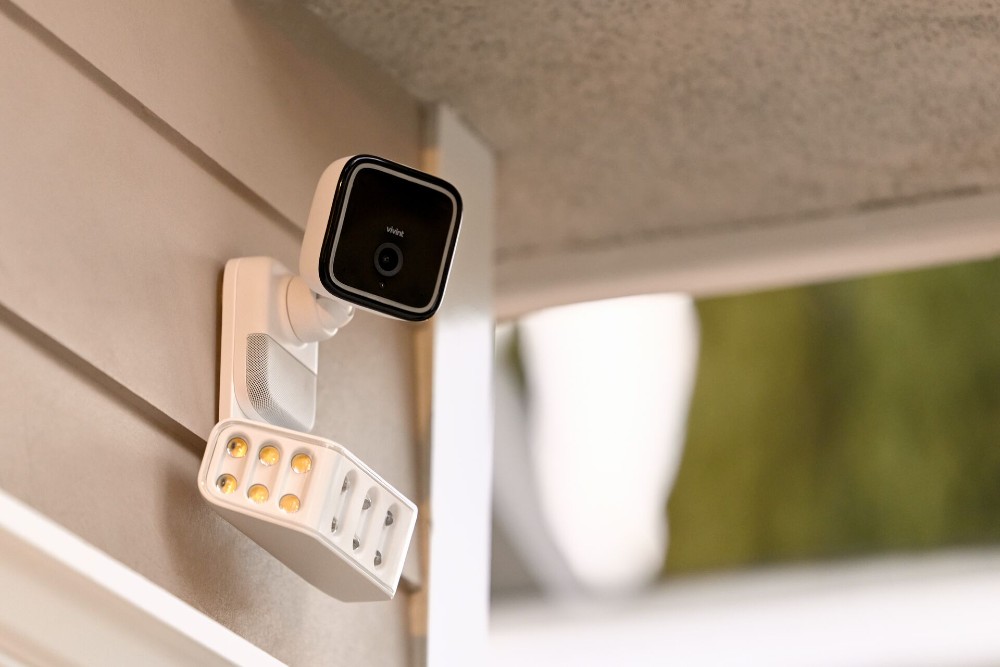
- Integration with Spotlight Pro. Turn it into a floodlight cam when you combine it with Vivint’s Spotlight Pro floodlight camera.
The Vivint Outdoor Camera Pro stands out in the market for its versatility. It allows for flexible installation in any location. It’s easy to see why this is a No. 1 outdoor security camera.
Let Vivint secure your home
Optimal outdoor security camera placement is the best way to enhance your home’s safety and security. For unmatched security and advanced surveillance capabilities, choose the Vivint Outdoor Camera Pro. It stands out with its smart detection technology and seamless integration with the comprehensive Vivint smart home system, offering robust protection and peace of mind.
When you’re ready to install, avoid the pitfalls of a DIY home security system installation—have a Vivint installation pro do the job right the first time. Contact us today at 800.646.1469 for a free consultation.
Download our guide to home security.
Home is everything, so protect it. In this free guide you’ll find the information you need to create a safer, more secure home with the added convenience and comfort that come with smart automation.
Frequently asked security camera placement questions
Proper placement of your security cameras can make or break their effectiveness. Here's what you should know.
Where should you place outdoor cameras?
Short answer: Position outdoor cameras at key entry points and vulnerable areas around the exterior of your home.
Outdoor cameras can best protect your home when placed to cover entry points (front doors, back doors, side doors, garage doors), ground-floor windows, and high-traffic areas like driveways, walkways, and yards.
What height should outdoor cameras be mounted?
Short answer: approximately 9 ft.
Installing outdoor cameras approximately 9 feet up means that the cameras are high enough up to prevent tampering, and close enough to the action to still capture important details. To make sure your outdoor cameras are placed perfectly for your unique home, work with a Vivint Smart Home Pro.
What's the difference between wired and wireless cameras?
Short answer: Wired cameras connect to your home's power, while wireless cameras connect via Wi-Fi.
Wired security cameras connect to your home's power and network to provide continuous power. That means no battery changes, and constant connection. Wireless cameras connect via Wi-Fi. Since they do not use your home's power, they require batteries—which need to be replaced often.
How does the Vivint Outdoor Camera Pro enhance home security?
The Vivint Outdoor Camera Pro uses RADAR technology and AI to accurately deter threats. Whether it's a person approaching your car, someone casing your property, or a lurker standing on your lawn, the Outdoor Camera Pro deters them and notifies you immediately.
Get a free quote today.
A Vivint Smart Home Pro will contact you within 24 hours. Or skip the form and call now: 844.481.8630.
Everything works together
Combine products
for a safer home
You may also like:
Security Cameras
What Can You Do From a Security Camera App?
Oct. 06, 2026

Smart Guides
How to Make a Home Inventory for Insurance
A home inventory gets insurance claims paid faster. See the 4 ways to document your home, ranked by speed, and why your cameras do it best.
Oct. 05, 2026

Home Security
Best Smart Home Devices for Elderly Parents: A Caregiver's Remote Setup
Set up an aging parent's home from yours: the smart locks, cameras, sensors, and alert pendant that let you help without hovering.
Oct. 02, 2026
Related Content
-
The Best Places to Mount an Outdoor Security Camera
Determine the best place to mount your outdoor security cameras to stop intruders based on expert tips.
-
How Many Home Security Cameras Do I Need?
How many security cameras you need often comes down to having enough cameras to effectively cover the most vulnerable and important areas of your home.
-
Should I Install Security Cameras in My Home?
Wondering if you should install security cameras in your home? Whether you're interested in indoor, outdoor, or doorbell cameras, this guide will help.


