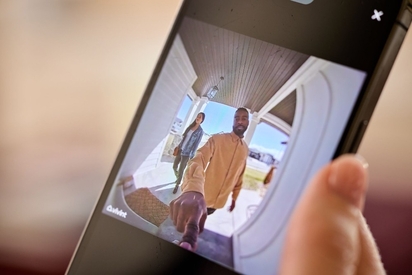
Learn what you can do from a security camera app, from viewing live or recorded footage to two-way talk with visitors and family members.
The Complete Guide to Doorbell Cameras: Features, Types, & What to Look For
Quick Answer: A doorbell camera is a smart home security device that combines a traditional doorbell with a built-in camera, microphone, speaker, and motion sensors to let you see your front porch and communicate with visitors remotely. Prioritize video quality (1080p-4K), two-way audio, and reliable motion detection. Expect to pay between $100-$500 depending on features and brand.
Recommended doorbell camera specs
| Specs | Recommended Range |
|---|---|
| Resolution | 1080p-2k HDR |
| Field of View | 160°-180° |
| Night Vision | IR or Color |
| Weather Rating | IP65+ |
| Connectivity | 2.5/5GHz Wi-Fi |
| Security | WPA2/WPA3 |
Your front entryway serves many purposes—it’s where you greet family and friends, receive packages and deliveries, and sets the first impression and tone of your home.
It’s also a focal point for burglars and porch pirates. According to the Bureau of Justice, 34% of burglars enter a home through a front door. Not only that, but one survey found that 48% of Americans have had a package stolen off their front porch, making it an essential part of your home security.
Luckily, doorbell cameras (also called video doorbells) can help protect your home while making it easy for you to ese who’s coming and going, no matter where you are.
In this comprehensive guide, we’ll go over everything you need to know about doorbells cameras—including how they work, features to look for, and how to choose the best one for your home and family.
What is a doorbell camera, and how does it work?
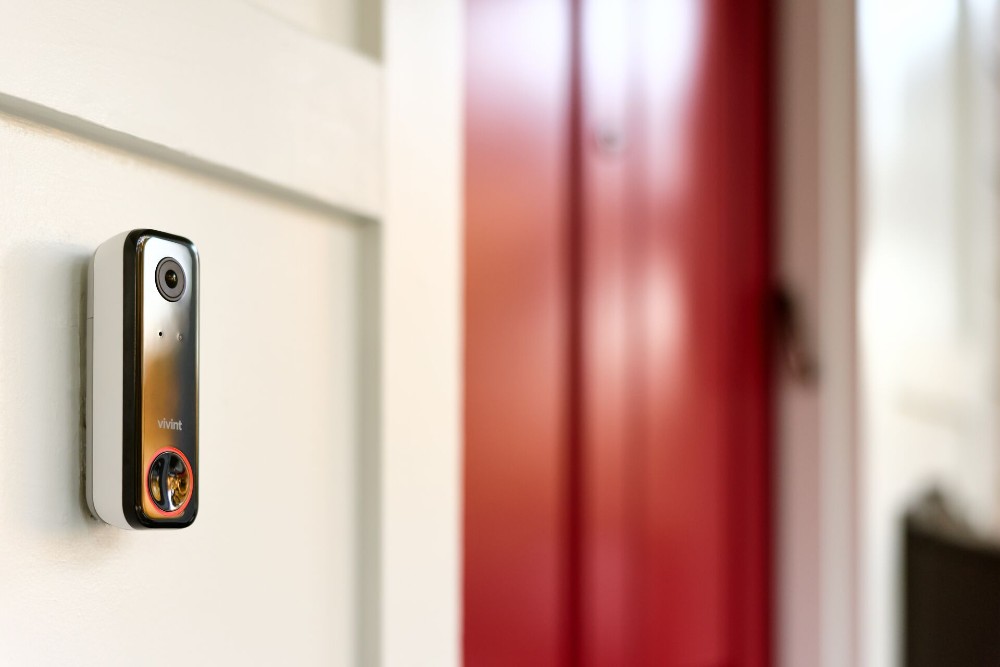
A doorbell camera is a smart home security device that combines a traditional doorbell with a camera, microphone, speaker, and motion sensors. It replaces or attaches to your existing doorbell, allowing you to see, hear, and speak with anyone at your door from your smartphone—whether you’re home or away.
When someone approaches your door (whether they ring the bell or not) the camera activates and begins recording.
Here’s how a doorbell camera works:
- When someone comes within the camera’s field of vision, motion sensors detect the movement.
- The camera activates and starts recording.
- You receive a notification on your app that there is activity from your front door.
- From there, you can use the app to view the live video feed, answer the door if they ring the bell, speak to the person on the other end (if they don’t ring the bell), or save the recorded clip.
Most doorbell cameras connect to your home’s Wi-Fi network, which allows you to answer your door remotely. Some doorbell cameras, like the Vivint Doorbell Camera Pro, integrate with your entire smart home systems, allowing you to pair them with other smart devices.
Free Bonus Download: Vivint Doorbell Camera Pro Guide
Key features of doorbell cameras
Doorbell cameras can vary in features depending on price point and functionality. When shopping for a doorbell camera, look for these essential features:
Key features at a glance
- 1080p to 4K video resolution for clear facial recognition and detail
- Two-way audio to communicate with visitors remotely
- Motion detection with smart alerts to know when someone approaches your door
- Night vision (infrared or color) for 24/7 visibility
- Wired or wireless power options
- 160°-180° field of view for complete porch coverage
- Cloud or local storage options for saving video clips
- Weather resistance (IP65 or higher) for outdoor durability
- App integration for remote viewing
- AI intelligence for better notifications like package detection
Video quality and resolution
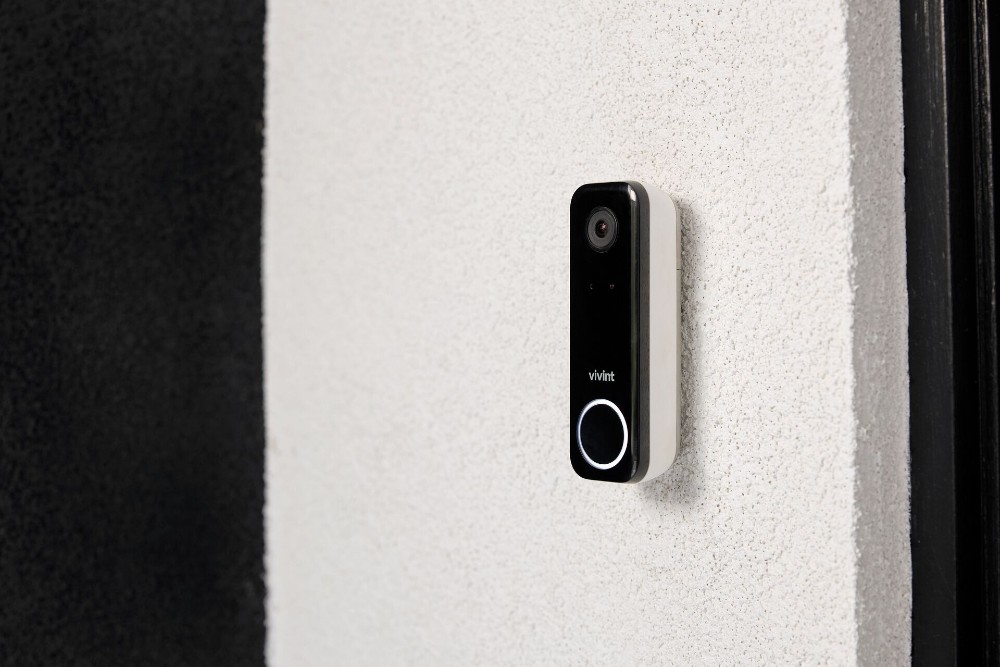
Your doorbell camera is only as good as the video quality. The camera’s video resolution—how clearly you see can see faces, packages, and other details—is one of the most important features to take into consideration. Low-quality resolution makes it difficult to see who (or what) is at your door.
Most common video resolutions available in doorbell cameras include:
- 1080p HD: Standard high-definition clarity
- 2K resolution: Sharper image with greater detail
- 4K resolution : Ultra HD-video clarity
Two-way audio and communication
Two-way talk and audio is a must-have feature in all doorbell cameras and allows you to speak to whoever is at your door, no matter where you are. With two-way audio, you can:
- Tell your delivery driver to leave your package at a certain spot
- Ask a door-to-door salesman questions about their product
- Tell a dog walker, housekeeper, or visitor that they can come right in
Two-way audio is also an important security feature. Because you can answer the door via your phone or Smart Hub, the person on the other side doesn’t know if you’re home or not. And because most burglaries are crimes of opportunity that occur when no one is home, they’re unlikely to risk it if they think you’re home.
Motion detection and smart alerts
Motion-activated cameras are triggered when a person (or thing) steps into the camera’s field of view. The camera then sends you a notification if someone comes into the camera’s field of vision.
Smart video doorbell cameras have additional motion features that may include:
- Custom detection zones, so you can set specific parameters for when you’re notified when someone approaches your porch or property
- Sensitivity settings you can raise or lower based on area or how many notifications you want to receive
Night vision
There are different types and qualities of night vision:
- Infrared, which displays images in black and white
- Color night vision, which uses additional lighting and sensors to show color at night
Wired vs battery plug-in—Which is better?
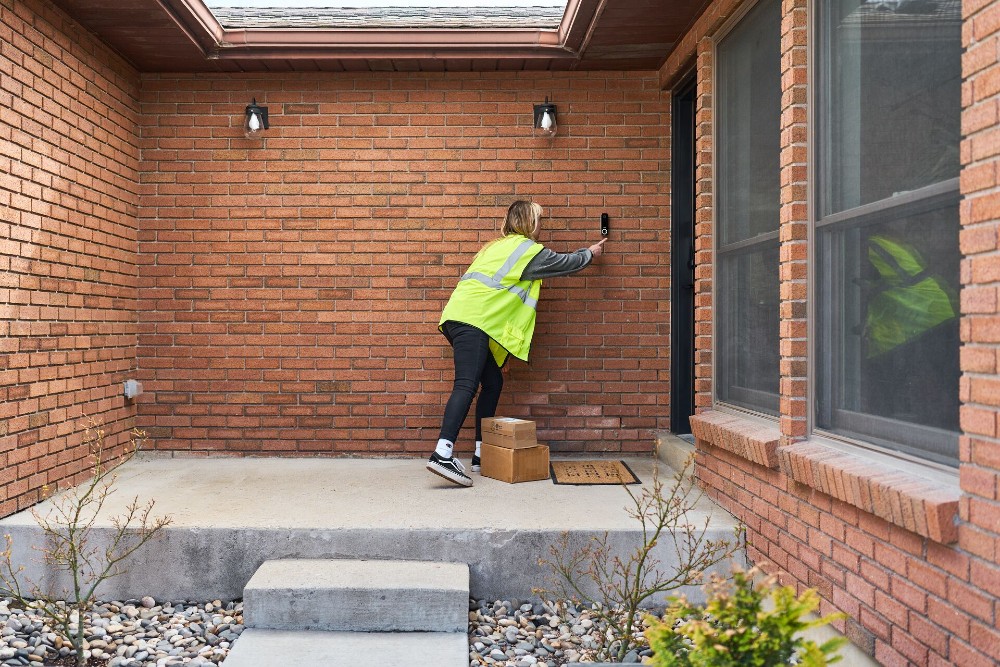
When it comes to powering your video doorbell, you have two options:
- Hardwired doorbell cameras use existing doorbell wiring and plug in to a power source for continuous power and connectivity.
- Battery powered are easier to install and typically fit right over an existing doorbell.
| Feature | Wired Doorbell Camera | Battery-Powered Doorbell Camera |
|---|---|---|
| Installation Difficulty | Moderate to complex; requires electrical work. Professional installation recommended. | Easy; minimal tools needed. |
| Power Reliability | Continuous, uninterrupted power | Batteries last 2-6 months; camera down when batteries are recharging. |
| Maintenance | Low; no battery changes needed | Regular charging or battery replacement |
| Cost Range | $150-$500 | $100-$250 |
| Best For | Permanent installations | Renters |
There are pros and cons to each. Hardwired options don’t have downtime when batteries charge or the expense of replacing batteries, but they do have more complex installation and wiring requirements. Battery doorbell cameras are easier to install and renter-friendly, but they require frequent charging, which can leave you without a front door security camera during charing periods.
Field of view and camera angles
A wide field of view is important for a front door camera because it has complete coverage of your entire front porch, while multiple camera angles allow you to pan to the best angle to see faces, packages, or other details.
Look for cameras that have 160°-180° field of view, which will allow you to see the full picture of what’s going on at your front door.
Storage: Cloud and local
Doorbell cameras have two main options for video storage:
- Cloud storage: With this option, video footage is uploaded to remote servers (aka “the cloud”) and can be accessed remotely from anywhere. Although it typically comes with a monthly fee, it can store more footage than local storage. It also retains footage even if a camera is stolen or damaged.
- Local storage: Camera footage is stored directly on the camera, usually on a microsd card. While there isn’t an ongoing fee, this option has limited storage capabilities and will either begin recording over previously recorded footage or stop recording altogether if capacity is reached.
Durability and weather resistance
For outdoor cameras, a durable, weather-resistant frame is a must. You can tell how well your camera will withstand the elements by its IP rating.
Look for a camera that has a rating of IP65 or higher; this means the camera will withstand the elements and still function properly.
Connectivity and app integration
When it comes to smart camera systems, connectivity is what allows the camera to stay online and app integration allows it to be accessed and controlled remotely.
Most front door cameras are connected via Wi-Fi, so it’s important to consider your router placement and Internet strength when choosing a camera.
The best video doorbell are supported with user-friendly apps that allow you to answer your door remotely via live view and two-way voice; view live camera footage, and receive notifications. If your camera is part of a complete smart home security system, your app should also control the rest of the smart home from a single app.
Artificial Intelligence and smart detection
Some of the most advanced front door cameras use AI-powered smart detection to help differentiate between people and objects, such as:
- Package detection, an AI-enabled feature that makes sure you know when a package arrives and can take steps to ensure it’s protected
- Person detection, which uses AI to distinguish between people, objects, and things like blowing trees
This helps reduce false alarms and excessive or irrelevant notifications.
Related article
What Is Security Camera Preroll?
What are the security benefits of doorbell cameras?
The benefits of video doorbells go beyond being able to see who’s at the front door. They are also an important part of both a comprehensive surveillance camera system and your overall home security.
Take a look at a few of the situations where a front door camera helps protect your home:
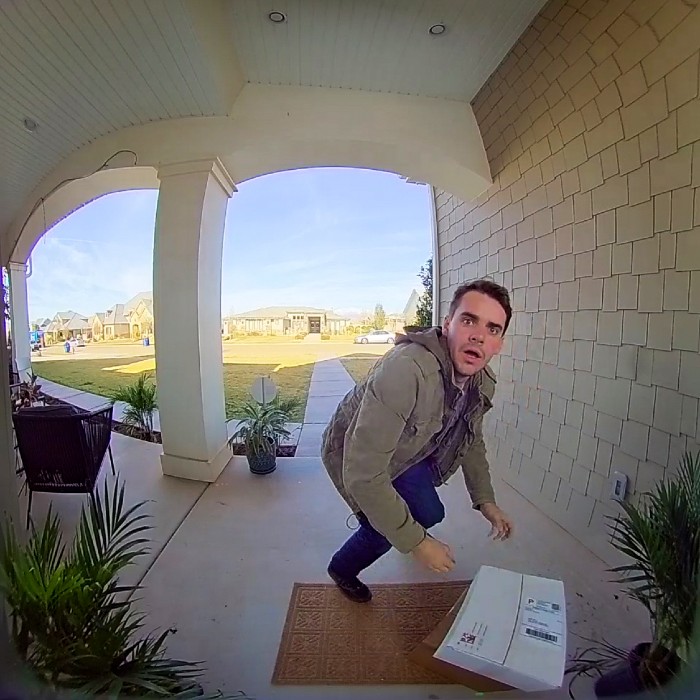
Deter intruders and package theft
Package theft is a big problem in the US—according to the USPS, in 2025 alone, nearly 60 million packages were stolen from front porches.
Visible security cameras can help deter crime—especially when combined with floodlights and other outdoor lighting and home security systems. Because porch pirates and other intruders typically look for crimes of opportunity, they tend to avoid homes with cameras or other security measures that could identify them or call attention to their activity. This helps reduce package theft and break-ins.
Real-time alerts and evidence collection
Doorbell cameras that send real-time alerts allow you to save footage and video clips that can be forwarded to the police or insurance company as proof the theft occurred. This video footage can then be used to help identify thieves, and the time stamps can help with evidence collection or provide proof that your package was stolen at a certain day or time.
Monitor family and visitor activity
Video doorbells aren’t just for keeping burglars away—they’re also great for monitoring when family is coming and going, providing peace of mind for busy families. You can use your camera to see if your kids got home from school ok check to see if your teen got home by curfew.
You can also use the doorbell camera to monitor visitor activity, such as checking to see when a dog sitter or house cleaner arrived and left.
Convenience with remote access
One of the best things about smart video doorbells is the ability to monitor your front door remotely. You can answer your front door even if you’re in a different state, check on packages, or communicate with people at the door without opening the door.
How can you choose the right doorbell camera for your home?
With so many doorbell cameras on the market, choosing the right one can feel overwhelming at first. These tips can help you define how you’re going to use your cameras, and then narrow down your choices to the best one that fits your needs.
Key considerations at a glance
- Determine your security goals
- Assess your power and wiring requirements
- Prioritize features based on need
- Plan your camera placement
Define your security and convenience goals
Before comparing features and specs, ask yourself a simple question: What do you want your doorbell camera to do for you?
Some goals to consider include:
- Protecting your home. If this is your main priority, you’ll want to look for cameras that have security features that deter crime and package theft.
- Convenience. For some homeowners, the convenience of checking on your home or answering the door while you’re at work or traveling is important. In this case, an intuitive app and reliable connectivity will be important features.
- Smart home integration. If you want your doorbell camera to integrate with your overall smart home, compatibility will be key. For example, if you have a Google Home setup, you’ll want to make sure your camera integrates with it.
Once you identify how you’d like to use your doorbell camera, you can start to look for cameras with those features.
Assess power and wiring requirements
If you opt for a battery powered camera, you’ll need to consider downtime during charging. This can be fixed by purchasing an additional battery to use so you’re not offline. If you want a hardwired camera, you’ll need to make sure your existing wiring meets the camera’s requirements.
Prioritize features based on needs
This is where your initial goals will come in handy. Ask yourself “Why do I want a video doorbell?” If your main concern is seeing who’s at the door and getting reliable alerts, a camera with 2K resolution and good motion detection may be all you need.
On the other hand, if you frequently receive deliveries or want more advanced package protection, features like package detection or enhanced AI may be worth the investment.
Evaluate storage and subscription options
Many doorbell cameras use cloud storage, which allows you to access video clips anytime from your phone and also provides significantly more storage than an SD card. This typically comes with a monthly fee, but it also ensures your footage is secure offsite and easy to access
Some homeowners prefer local storage instead, which keeps recordings on the device via a microSD card. To save footage, you’ll need to download it to a computer. While this eliminates subscription costs, it sacrifices the convenience of being able to access your footage remotely. It also has storage limitations, which could result in lost footage if the storage card is full.
Plan optimal camera placement
The placement of your camera will play a major role in how accurately and clearly your device captures motion.
Most doorbell cameras will be either hardwired into or placed over existing doorbell wiring. Assuming that your doorbell is properly mounted, you shouldn’t have to move it. As a general rule, your doorbell camera should be mounted at about chest height, or approximately 48 inches above the ground. You should also try and avoid placing your camera in direct sunlight, which can result in washed-out footage or glares.
If your placement isn’t ideal, it doesn’t mean a doorbell camera won’t work for you. In this case, a camera with a wide and tall field of view will be especially important.
Related article
Vivint Security Cameras that Whistle
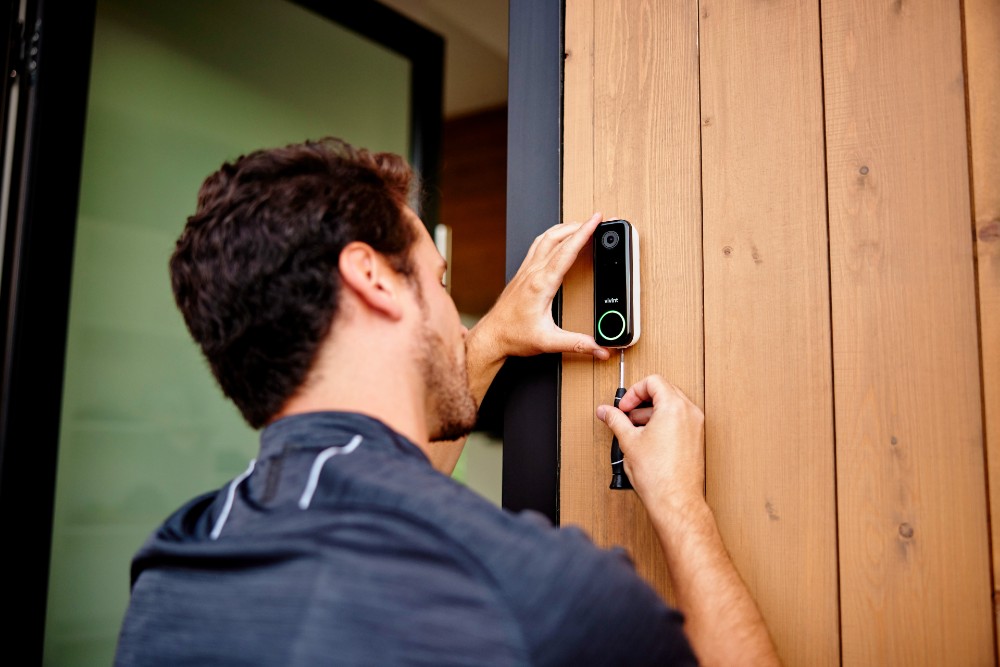
How do you install a doorbell camera?
Installing a doorbell camera is typically straightforward, but if you’re integrating it into an existing home security system, it can be a little tricky.
Here are some installation and best practices to help you get the most of your device:
Preparing for professional vs self-installation
One of the first decisions you’ll face is whether to install the device yourself or bring in a professional. Ultimately, it will come down to how comfortable you are with technology, whether wiring is required, and it you want the camera to integrate with other smart home devices.
Installing wired doorbell cameras
Wired doorbell cameras can be intimidating for the new DIYer, but most follow a standard process:
- Turn off power at the breaker
- Remove your existing doorbell
- Connect the new device to the wiring
- Once mounted, sync the camera with its mobile app
Safety will be the most important aspect of installing a wired camera. If you’re unsure about handling electrical components or you’re confused at any point, your best bet is to leave it to the pros.
Installing battery-powered doorbell cameras
If you have a battery-powered model, self-installation is quick and manageable and typically include a guided setup from the manufacturer. This type of camera is designed to be user-friendly, requiring few tools and little (if any) electrical or DIY experience.
Optimizing placement and mounting angles
As a general rule, your doorbell camera should be mounted at about chest height, or approximately 48 inches above the ground. Before you finalize the placement, check the live view of your camera in your app. This allows you to confirm that the camera is capturing the right areas and that there are no blind spots.
Ensuring compatibility and chime integration
If you want your doorbell camera to pair with existing smart home devices, it’s crucial you check to ensure compatibility first.
Not all smart home devices connect with each other, so be sure to do your research. Opting for a complete smart home system like Vivint will also ensure all of your devices are compatible and can be managed through a single app.
Chime compatibility is another consideration. Your doorbell camera may wire to your existing chimes, or you can use a chime extender that connects to your doorbell camera and smart home system and broadcasts the sound throughout your home.
Maintaining your doorbell camera
Once your doorbell camera is installed, ongoing maintenance requirements are pretty minimal, but there are still things you should do to keep it running smoothly.
Update firmware and apps
Keeping your device and app up to date is crucial for making sure you’re getting the most out of your camera. Automatic updates make this process even easier, so enabling them will help keep your device up to date without even having to think about it.
Test motion zones and sensitivity
Revisit your motion zones and sensitivity settings from time to time. For example, after winter, it might be useful to check your camera’s motion zones to ensure they aren’t covered up by new tree growth in the spring. Or, adjust your sensitivity settings when school resumes after the summer so you don’t get notified every time the neighborhood kids walk to and from the bus stop. This will help both reduce unnecessary alerts and notifications and ensure important activity is captured.
Manage power and battery life
If you’re using a battery-powered doorbell camera, staying on top of charging is essential. Most apps will alert you when your battery gets low, so you can charge before it dies. Depending on usage and season, batteries can last anywhere from a few weeks to several months. Extreme cold tends to drain batteries faster, so keep that in mind if you live in a colder climate.
Many cameras have settings that allow you to help conserve battery life, but that may compromise responsiveness or functionality slightly. You can also consider purchasing a second battery to offset charging periods.
Review recorded clips regularly
While real-time notifications are helpful, they don’t always tell the full story. That’s why it’s important to review your recorded footage regularly to spot additional details and make sure your camera is working as it should.
This is particularly important if your camera is using local storage, as it gives you the opportunity to save your important footage before it’s overwritten.
Related article
Are Doorbell Cameras Worth It?
Choosing the best doorbell camera
If you’re looking for a doorbell camera that has advanced features that proactively prevent package theft, has intelligent package and person detection, and keeps you connected to your home 24/7 no matter where you are, look no further than the Vivint Doorbell Camera Pro. As part of a complete Vivint Smart Home system, it works seamlessly with your connected devices to keep your home and family safe around the clock.
Doorbell Camera Pro features
| Feature | Specs |
|---|---|
| Field of View | 180°x180° |
| Night Vision | IR LEDs |
| Speaker | 90dB |
| Resolution | 1080p |
| Clip Length | Event-based 10-90 seconds |
Getting started is simple; visit us online or call us at 855.822.1220 and start customizing your smart home system today.
FAQs
Still have questions? Learn answers to some of the most common doorbell camera questions here.
How do doorbell cameras record and notify you?
Short answer: Doorbell cameras use motion-activated sensors to detect activity near your front door.
When a doorbell camera detects motion or other noteworthy events, the camera begins recording and sends a notification to your smartphone through the connected app. From there, you can view your live footage, speak to your visitor, and save clips.
What power options are available, and which is best?
Short answer: Doorbell cameras can be batter-powered or hardwired. The type that is best for you depends on your goals and setup.
Doorbell cameras are either battery-powered or hardwired. Hardwired cameras offer continuous power and require less maintenance, while battery-powered cameras are easier to install, but require charging or replacing batteries. The best choice for you depends on your home’s wiring and your personal preferences.
Do doorbell cameras work without Wi-Fi?
Short answer: Yes, but you can't access footage remotely without Wi-Fi.
Yes. While Wi-Fi is an essential component for most doorbell camera features—including live streaming, remote access, and real-time notifications—a doorbell camera should continue recording locally without an internet connection. You won’t be able to access footage or receive alerts until connectivity is restored.
How can I protect my privacy with a doorbell camera?
Short answer: Secure your network, use strong passwords, and keep your doorbell app upated.
You can help protect your privacy with a doorbell camera (and any connected device) by securing your network and device settings with strong passwords, two-factor authentication, and ensuring your system hardware and app are updated automatically.
Is professional installation necessary for doorbell cameras?
Not necessarily. Many battery-powered models are designed for easy self-installation. However, if you’re installing a wired camera or want to ensure your camera is compatible with your existing smart home devices, professional installation can help make sure everything is set up correctly and safely.
Do doorbell cameras have a monthly fee?
Short answer: Not all doorbell cameras require a monthly fee, but you might not be able to access advanced features without one.
Some doorbell cameras require a subscription for cloud storage and advanced features. Others, particularly those with local storage via a microSD card, won’t require an ongoing fee. Keep in mind that most advanced features, such as saving continuous footage, accessing clips at a later date, or sending clips via email, require cloud storage and a monthly fee.
Are doorbell cameras effective in preventing theft?
Yes. Doorbell cameras can be a great deterrent against package theft and criminal activity in general. A visible camera, coupled with recorded footage, provides valuable evidence. The Vivint Doorbell Camera Pro goes a step further with Smart Deter technology, which uses light and sound activity to let potential thieves know they’ve been spotted and are being recorded.
What is HDR in doorbell cameras?
HDR, or High Dynamic Range. This technology enhances the contrast and brightness of your video, ensuring detailed images even in dark or bright conditions.
What is IP rating in doorbell cameras?
IP is a categorizing system to describe how weatherproof a camera is. The “I” indicates a camera’s protection against dust and dirt, while the “P” measures resistance against water.
Get a free quote today.
A Vivint Smart Home Pro will contact you within 24 hours. Or skip the form and call now: 844.481.8630.
Everything works together
Combine products
for a safer home
You may also like:
Security Cameras
What Can You Do From a Security Camera App?
Oct. 06, 2026
Security Cameras
How Many Home Security Cameras Do I Need?
How many security cameras you need often comes down to having enough cameras to effectively cover the most vulnerable and important areas of your home.
Sep. 22, 2026
Security Cameras
Do Vivint Cameras Work Without Wi-Fi?
Learn how Vivint cameras work without Wi-Fi, what happens to recordings during an internet outage, and which security features stay connected.
Sep. 18, 2026
Related Content
-
How Do Doorbell Cameras Work?
Learn how doorbell cameras work, including their features, and why you should install one now.
-
The Ultimate Buyer’s Guide to the Best Wireless Video Doorbell Cameras
Learn how to choose a wireless doorbell camera, compare power options, video quality, smart features, storage, and installation methods.
-
How to Choose the Best Doorbell Camera in 2026
Discover the top features to look for in a doorbell camera. Learn about video quality, smart home integration, and more to secure your home.


