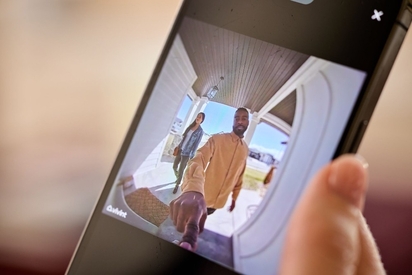
Learn what you can do from a security camera app, from viewing live or recorded footage to two-way talk with visitors and family members.
How Vivint Doorbell Camera Alerts & Cloud Recording Work
Key takeaways
- Vivint Smart Clips are stored for 30 days on the cloud. Video clips are accessible from anywhere, plus there's no risk of losing footage if a camera is stolen or damaged
- For those who want more storage, Playback offers 10 days of continuous video recording
- AI-powered Smart Alerts reduce false notifications by distinguishing between people, packages, vehicles, and animals
- Smart Deter™ proactively prevents crime by responding to suspicious behavior with bright lights and a 90 dB audio warning
- 1080p HDR video and 180°x180° field of view lead to clear, head-to-toe footage day and night
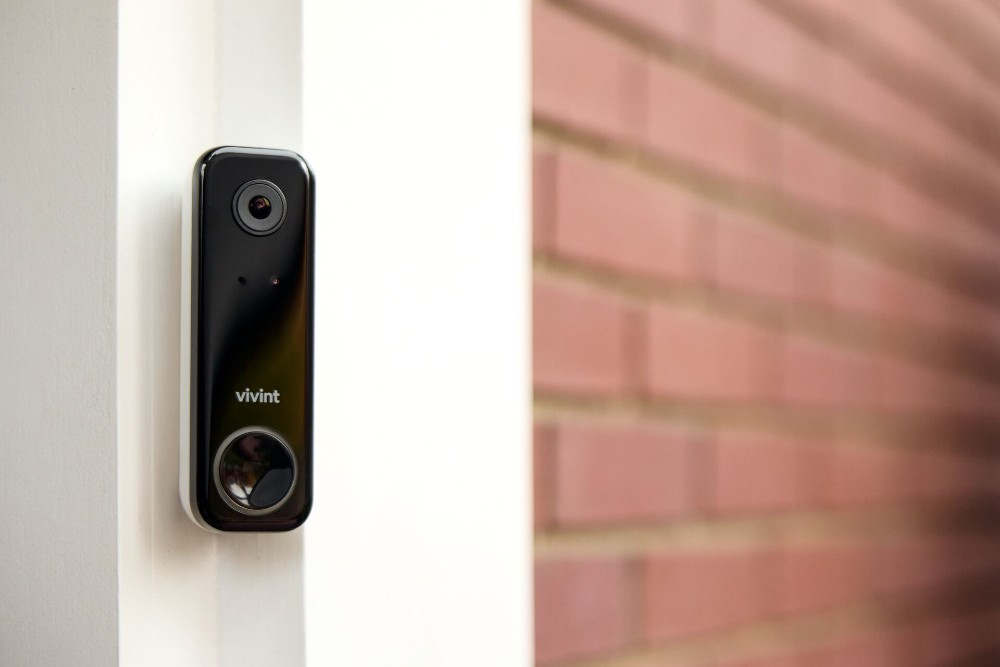
Nearly half of U.S. households now have a doorbell camera, making it one of the most popular smart home security devices in the country. And it’s not hard to see why. For many homeowners, the front porch is one of the most active (and vulnerable) areas of the home. Between deliveries arriving throughout the day, visitors, and busy families coming and going, if can be difficult knowing what’s happening at your doorstep.
Doorbell camera cloud recording is the process of storing video footage from a smart video doorbell on secure, remote servers, allowing homeowners to access recordings from anywhere via the internet. With cloud recording, you can always access video of your front door, even if you're miles away.
Traditional doorbells announce when someone rings the bell, but they don’t tell you who’s there, what happened after they left, or whether a package was delivered while you were away.
That’s where smart doorbell cameras (also called video doorbells) come in. These smart home devices combine video monitoring, two-way talk, AI features, and real-time alerts, making them an essential component of any home security system.
In this guide, we'll take a closer look at the Vivint Doorbell Camera Pro and explain how features like AI-powered detection, real-time alerts, and cloud recording can not only help homeowners stay connected to their homes, but have a record of what happens at home (and when) whenever they need it.
Related article
All About Vivint Smart Deter™
Vivint Doorbell Camera Pro features & technology
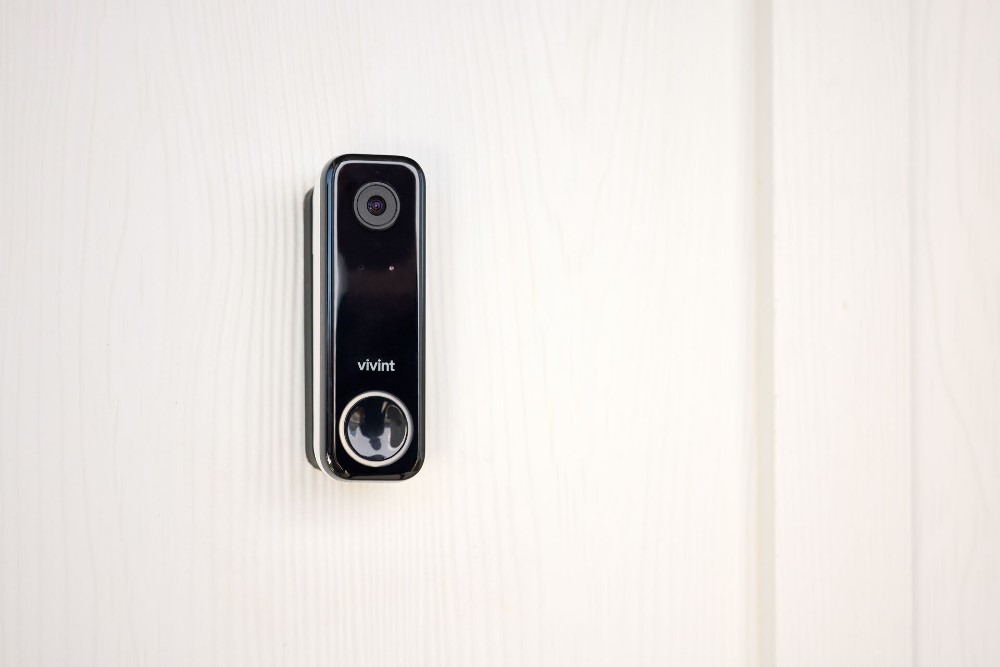
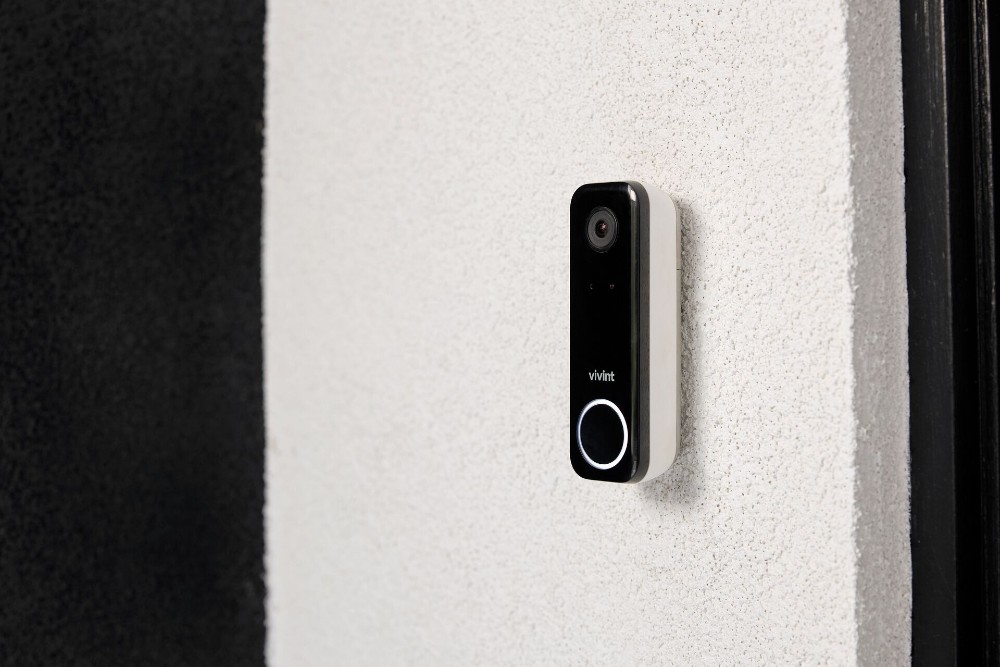
The Vivint Doorbell Camera Pro is a smart video doorbell that allows you to answer your front door, monitor who’s coming and going, and view your front porch area at any time, all from your smartphone.
Vivint Doorbell Camera Pro Specs
| Feature | Details |
|---|---|
| Video Resolution | 1080p HDR |
| Field of View | 180° x 180° |
| Night Vision | Infrared night vision |
| Cloud Storage | 30-day cloud storage, plus additional storage with Vivint Playback |
| Pre-Roll Length | 8–10 seconds |
| Audio | Two-way talk with built-in microphone and 90 dB speaker |
| Power Source | Hardwired connection |
An essential part of a well-rounded home security system and smart home, some of the features and technology you’ll find on the Doorbell Camera Pro include:
1080p HDR video
When it comes to video quality, the Doorbell Camera Pro is a standout thanks to 1080p resolution and HDR video.
1080p resolution determines how sharp and detailed the image appears. It combines full 1080p HD video with High Dynamic Range. This higher resolution results in a sharper, more detailed image (whether watching recorded video or via a live view) and makes it easier to identify faces, clothing, packages, and other details.
HDR technology balances light and dark areas for better visibility. Front porches often have less-than-ideal lighting conditions, whether it’s bright sunlight, shadows, nighttime darkness, or a combination that can make it difficult to see important details.
The Doorbell Camera Pro uses 1080p HDR video to help you see important details more clearly. Whether your front porch is in direct sunlight or deep shadow, HDR technology balances the image so visitors, deliveries, and activity are easier to see and identify.
Wide field of view
A wide field of view is a must in a doorbell camera; otherwise, the camera will only capture what’s standing directly in front of the door.
The Doorbell Camera Pro offers a 180° x 180° field of view—the tallest and widest of any camera on the market. With this field of view, homeowners get a better view of what’s happened all around your front entrance, including a head-to-toe look at visitors approaching your door, packages left on the porch, activity near entryways, multiple people in the camera's view, and more.
Night vision
It’s easy to see what happens during the day. But what about when the sun goes down? Infrared night vision helps the Doorbell Camera Pro continue monitoring activity in nighttime conditions. You can clearly see visitors, deliveries, and activity outside the home even when lighting conditions are dim or darkened.
AI-powered detection
The Doorbell Camera Pro usesAI-powered technology to help distinguish between different types of activity and objects, like a person riding by on a bike versus someone approaching your front door or a package versus a plant.
This intelligent detection helps cut down on unnecessary notifications so you can focus on important events.
Two-way audio
The built-in microphone and speaker allow you to to communicate directly through the Vivint app.. This features allows you to answer the door remotely and speak with visitors, give instructions to delivery drivers, and communicate with family members who are coming and going.
This is also an important security feature that can be useful when you're away from home; when you answer the door remotely, no one knows whether you’re really in the house or not.
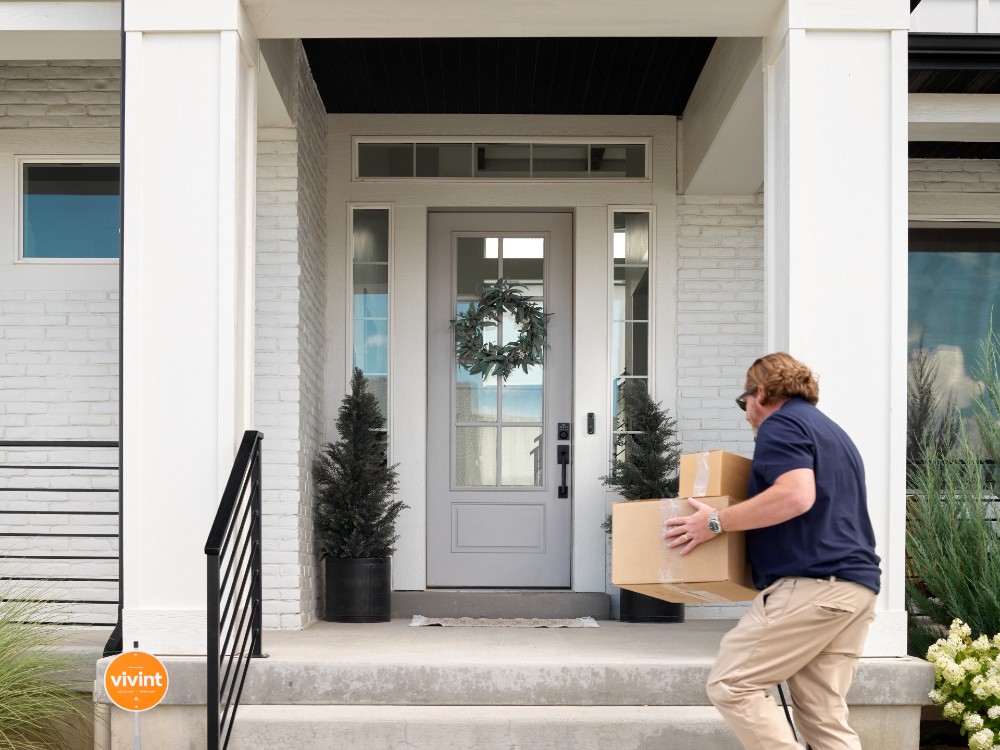
Hardwired vs. battery-powered doorbell cameras
One of the biggest decisions homeowners face is choosing between a hardwired and battery-powered doorbell camera.
Battery-powered cameras
Battery-powered doorbell cameras are easier to install because they don't require existing doorbell wiring, making it easy to simply plug in to existing wired doorbell wiring.
However, they come with limitations:
- Batteries require regular charging or replacement
- Performance may decrease as batteries drain
- Recording features may be limited to conserve power
- Missed events can occur if batteries are depleted
Hardwired cameras
The Vivint Doorbell Camera Pro uses a hardwired connection. Hardwired cameras offer a number of advantages that a battery-powered doorbell camera doesn’t provide, including:
- Continuous power supply, so you don’t have to worry about going offline while charging the battery
- No need to replace or charge batteries
- Consistent performance
- Reliable recording capabilities
For homeowners who want more dependable security and continuous operation, hardwired doorbell cameras like the Doorbell Camera Pro provide a better, more reliable long-term experience.
Related article
Buyer’s Guide: Wireless Video Doorbell Cameras
How real-time alerts work
Real-time alerts on a doorbell camera work as follows:
- Detection
- Processing
- Recording
- Analysis
- Notification
One of the most valuable features of a smart doorbell camera is the ability to receive real-time notifications.
What is a real-time alert?
A real-time alert is an immediate notification sent to your smartphone when the camera detects activity that matches specific criteria.
These alerts help homeowners stay informed without constantly monitoring live video feeds.
How the notification process works
When the camera’s motion detection feature detects movement, the Doorbell Camera Pro gets to work quickly. Here’s how it works:
- Detection: Activity occurs near your front door, and the camera detects something is happening.
- Processing: The camera's onboard processor evaluates the activity.
- Recording: Video recording begins.
- Analysis: AI technology analyzes and classifies the event and determines if it is a notifiable event (a person approaching your home, a package being delivered, etc.) or irrelevant, benign motion.
- Notification: An alert is sent to your smartphone.
This process happens in just a matter of seconds, so homeowners are informed and can react quickly as events occur.
Common alert triggers
Real-time notifications may be triggered by the following:
- Motion detection
- Person detection
- Package detection
- Doorbell button presses
- Suspicious activity near the entryway
Because alerts are delivered directly through the Vivint app, homeowners can quickly determine whether action is needed.
AI detection and alert customization
One of the most frustrating things about older video doorbell models is a constant stream of alerts for events such as passing cars, animals, or trees blowing. With so many irrelevant alerts, it can be tempting to ignore alerts altogether.
Cameras tried to address this by making motion sensitivity adjustable, but that often resulted in missing alerts altogether.
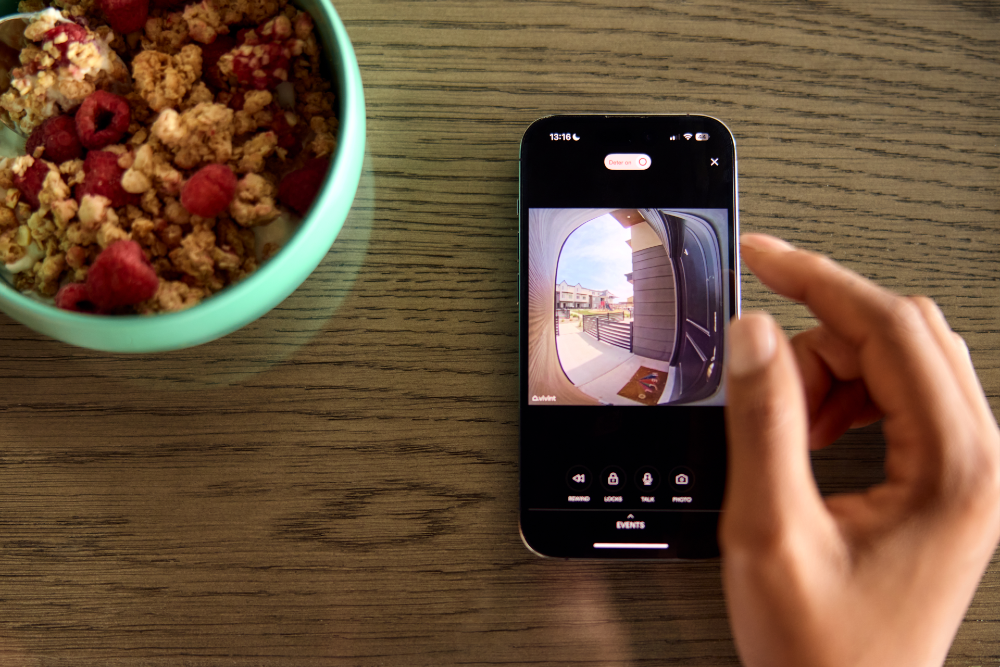
The Vivint Doorbell Camera Pro addresses this in a smarter way, using AI-powered detection to distinguish between various events and sending Smart Alerts to your phone, so you only get the alerts that matter.
Smarter detection
The Doorbell Camera Pro’s AI-powered smart motion detection to distinguish between different types of objects and activities, including people, packages, vehicles, animals, and general motion.
It then goes even further to classify events you will or will not be interested in. For example, the camera may not identify a jogger running by as a threat, but it will alert you if someone approaches a package on your porch. Or, if a delivery driver drops off a package but doesn’t ring the bell, you’ll still be notified that a package has arrived, so you can retrieve it quickly or arrange for it to be picked up by a neighbor.
This added intelligence helps not only improve alert relevance and reduce unnecessary interruptions, but lets you know when to take action.
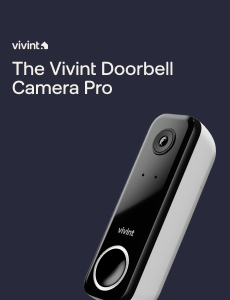
Free Bonus Download: Vivint Doorbell Camera Pro Guide
Local storage and cloud recording
There are two main video doorbell storage options: local storage and cloud recording/storage. Most smart home systems use some combination of local storage and cloud storage.
Local storage vs cloud recording comparison
| Feature | Local Storage | Cloud Recording |
|---|---|---|
| Storage Type | MicroSD card on device | Remote servers via internet |
| Capacity | Varies by SD card size | 30+ days is typical |
| Remote Access | Not available | Yes, from anywhere |
| Monthly Cost | None | Subscription averages $3-$15/month |
| Footage Backup | No backup if device is damaged or stolen | Protected even if camera is damaged or stolen |
What is local storage?
Local storage saves recordings directly on the device, usually on a microSD card. If you need to access the footage, you can plug the microsd card into your computer or compatible device and download it onto your computer or a USB drive.
Typically, cameras record on a loop, recording over existing footage when space runs out.
Some advantages of local storage include:
- Access your recordings without relying on internet connectivity
- No monthly fees or charges other than the initial purchase of the microSD card
- Faster download speeds if you’re using a wired connection to your computer, as you don’t need to worry about Wi-Fi bottlenecks
Potential drawbacks to local storage include:
- Limited storage capacity. If your card storage is limited and cameras pick up a lot of activity, or you don’t download footage regularly, you could potentially miss important events and lose the footage.
- No backup. If the device or drive is damaged or stolen, you’ll lose the footage completely.
- No remote access to footage
What is cloud recording?
Cloud recording stores video securely on remote servers accessible through an internet connection. These remote servers are located in large data centers throughout the country and help keep your data secure.
Advantages of cloud recording and cloud storage include:
- Remote access from anywhere
- Greater storage capacities. Depending on your plan and how many cameras you have, you can save a much larger amount of footage on cloud storage than you can on local storage.
- Protection if the camera is damaged. Because files are stored offsite, you’ll still be able to access your footage if a camera is damaged or stolen.
- Easier management of recordings. Accessing, saving, and managing your recordings is often as easy as logging into your storage account.
Potential drawbacks include:
- Requires internet connectivity
- Typically requires a subscription service, which adds to overall costs
- Potential privacy concerns. Anytime an internet connection is involved, privacy and the potential for hackers becomes a concern. This makes it more important than ever to choose a cloud service provider that offers enhanced privacy and security protections.
Vivint Doorbell Camera Pro recording options
Vivint Smart Clips are saved for 30 days on the cloud. For users who want additional storage, Vivint Playback DVR can help.
Playback DVR lets you store up to 10 days of continuous recording you can access remotely from your smartphone, helping ensure you don’t miss a thing. This option also includes event markers—timestamps that highlight specific moments like package deliveries—making it easy to find and share specific footage and events.
Additional features include:
- Footage stored directly on camera and accessible via your smartphone
- Up to 10 days of 24/7 recording from up to 12 cameras
- Event markers that make it easy to find and share specific footage and events
Proactive crime prevention with Smart Deter™
One of the features that truly makes the Doorbell Camera Pro a standout among other doorbell cameras on the market is Smart Deter™.
Most security cameras record occurrences and activity while they’re occurring, or after they have already happened. Smart Deter, on the other hand, helps prevent crime by discouraging lurkers and unwanted behavior before it escalates to something more.
What is Smart Deter™?
Smart Deter™ is Vivint's AI-powered technology that automatically detects suspicious behavior and responds with bright lights and loud sounds to deter crime before it happens.
Smart Deter users AI + RADAR-powered detection to classify events and identify unwanted behavior, sending a Smart Alert to your phone for events that matter and using lights and sound to discourage crime.
Vivint Smart Deter users AI + RADAR-powered detection to evaluate behavior and recognize potential threats—like someone lingering on your property or approaching a package after it has been detected—and automatically respond in real time with actions that deter further criminal behavior.
Here’s how it works:
- Smart Deter uses AI-powered computer detection to distinguish between people and packages, animals, and passing cars. This is important because you don’t want to get an alert every time every single motion is detected.
- Smart Deter’s behavior-based detection analyzes behavior, differentiating between unthreatening activities like someone jogging by and someone approaching a package on your porch after it as been delivered.
- If suspicious activity is detected, Smart Deter will activate a warning doorbell chime through the camera’s 90db speaker and illuminate an LED ring around the camera, letting the person know they’ve been spotted and are being recorded.
Package detection and porch protection
With the average household receiving about 14 packages each month, package theft is a real concern.
The Doorbell Camera Pro’s ability to identify packages and notify you when they arrive, and then keep an eye on them until you retrieve them, helps protect your packages from porch pirates.
Related article
What to Do if Your Package Is Stolen
Five ways to maximize doorbell camera effectiveness
Even the best doorbell camera performs better when properly configured. Here are five best practices to get the most value from your system:
1. Optimize camera placement
There are actually multiple ways you can position your camera. Make sure it’s in the best location to capture visitors, packages, and areas around your front porch. This is also where professional installation comes in handy.
2. Customize detection zones
The Doorbell Camera Pro lets you create specific zones, so you can focus alerts on important areas and reduce notifications from sidewalks, streets, or other properties.
3. Adjust notification settings
You can adjust the alerts on your phone to prioritize the events most important to your home and family.
4. Adjust sensitivity settings
If you’re getting too many (or not enough) notifications, the Vivint Doorbell Camera Pro lets you adjust different settings, including motion sensitivity and object size.
5. Take proper security measures
Keeping your cameras and system overall secure is important. Create strong passwords for your Wi-Fi, app, and phone are an essential component of keeping your data and connections secure. Additionally, make sure you keep software updated to help maintain your camera’s security, reliability, and performance.
A smarter way to protect your front door
A doorbell camera can do so much more than give you a live view of your front door. The Vivint Doorbell Camera Pro combines high-definition video, real-time alerts, cloud storage and recording, package monitoring, and AI-powered Smart Deter™ technology to help keep you informed and protected.
Whether you're monitoring your package deliveries, answering your door from another state, or simply want to create a connected smart home, the Doorbell Camera Pro provides the protection and awareness to provide priceless peace of mind.
Give us a call at 855.822.1220 to add the Doorbell Camera Pro to your home today.
Related article
Doorbell Camera Pro Reviews
Doorbell Camera Pro FAQs
The Vivint Doorbell Camera Pro is the only doorbell camera that proactively protects packages. Learn more here.
How does the Doorbell Camera Pro reduce false alerts?
The Doorbell Camera Pro uses AI-powered detection to help distinguish between different types of activity, such as people, packages, and vehicles. Additionally, detection zones and customized notification settings can further reduce unnecessary alerts.
What happens to the Doorbell Camera Pro if Wi-Fi connection fails?
If your Wi-Fi connection fails, you'll temporarily lose access to the live video feed until connection is restored. Since Smart Deter™ is process on-device, your camera will continue protecting your porch without interruption.
How long are video clips stored in the cloud?
Vivint stores doorbell camera Smart Clips in the cloud for 30 days. With the optional Playback DVR addition, you can access up to 10 days of continuous 24/7 recordings.
Can doorbell cameras actually help prevent package theft?
Yes, doorbell cameras can help prevent package theft. The Doorbell Camera Pro notifies you immediately when a package is delivered os you can retrieve it quickly. Smart Deter™ actively discourages theft by detecting suspicious behavior and responding with lights and sound to scare off intruders before they act.
What kind of monitoring does Vivint have?
All Vivint smart home systems include 24/7 professional monitoring, so your home is monitored around the clock. In the event of an emergency, our monitoring center will contact emergency responders on your behalf, providing an extra layer of protection beyond self-monitoring.
Does the Vivint doorbell camera require a subscription for cloud storage?
Yes, cloud storage for the Vivint Doorbell Camera Pro is part of a Vivint Smart Home monitoring plan. This subscription provides 30-day cloud clip storage, professional monitoring, and access to smart home features through the Vivint app.
Get a free quote today.
A Vivint Smart Home Pro will contact you within 24 hours. Or skip the form and call now: 844.481.8630.
Everything works together
Combine products
for a safer home
You may also like:
Security Cameras
What Can You Do From a Security Camera App?
Oct. 06, 2026
Security Cameras
How Many Home Security Cameras Do I Need?
How many security cameras you need often comes down to having enough cameras to effectively cover the most vulnerable and important areas of your home.
Sep. 22, 2026
Security Cameras
Do Vivint Cameras Work Without Wi-Fi?
Learn how Vivint cameras work without Wi-Fi, what happens to recordings during an internet outage, and which security features stay connected.
Sep. 18, 2026
Related content
-
The Right Cameras to Ensure Your Child's Safety and Security
Discover the best cameras to keep your child safe, offering security, peace of mind, and real-time monitoring at home or on the go.
-
Outdoor Wireless Security Cameras: How To Choose the Best for Your Home
Choose the best outdoor wireless security cameras for your home with this guide from Vivint. Learn about power sources and features.
-
Doorbell Cameras With Real-Time Alerts & Cloud Storage: What to Look For
Doorbell cameras with real-time alerts and cloud recording are essential home security devices. Learn what to look for when buying one here.


