
A home inventory gets insurance claims paid faster. See the 4 ways to document your home, ranked by speed, and why your cameras do it best.
What Can You Do From a Security Camera App?
A security camera app is a mobile application that connects your smartphone to your home security cameras. This allows you to view live feeds, access recorded footage remotely, receive alerts, and control your security system form anywhere.
A security camera app lets you watch live video feeds, review recorded clips, receive motion alerts, communicate through two-way audio, and control your entire smart home security system—all from your smartphone. These apps transform your phone into a command center for home security cameras, giving you the ability to monitor your property whether you're at work, traveling, or simply in another room.
For homeowners seeking peace of mind and remote monitors managing multiple properties, a well-designed security camera app delivers real-time awareness and control that traditional security systems never could.
Key takeaways
Core security camera functions include:
- Live video feeds from all connected cameras
- Remote access to recorded footage
- Smart notifications for activity updates
- Two-way talk for remote communication through camera speakers
- Smart home control for locks, thermostats, and other devices
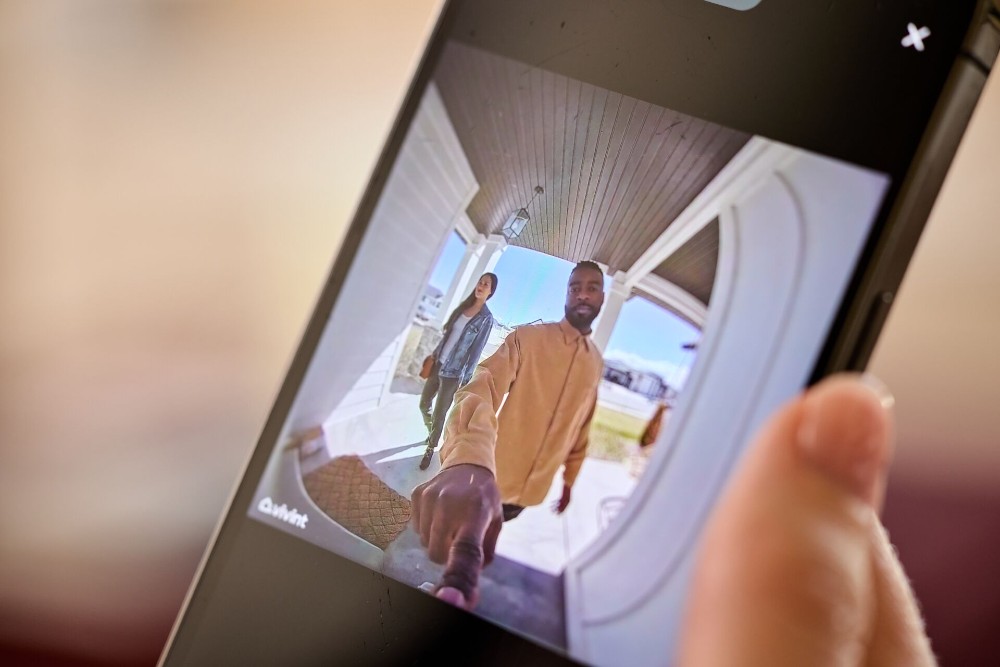
What is a security camera app?
A security camera app is a mobile application that connects your smartphone to your home security cameras and related smart devices, allowing you to view, manage, and interact with your security system remotely. Rather than requiring you to be physically present or rely on a dedicated monitoring station, the app puts surveillance and control directly in your hands.
Modern security camera apps go far beyond simple video viewing. They serve as the central hub for your entire security camera system, integrating live streaming, cloud-stored footage, intelligent alerts, and smart home automation into a single interface. When you're evaluating options, a security camera buying guide can help you understand which features matter most for your household.
The Vivint app exemplifies what a comprehensive security camera app can deliver. It connects not just to cameras but to door locks, thermostats, garage doors, and other smart devices, creating an integrated ecosystem rather than a collection of disconnected tools. This integration is what separates a true smart home security camera solution from basic standalone camera apps.
Full app functionality typically requires a service plan with your security provider. The Vivint app is free to download, but a Vivint service plan is required to access the complete range of features including professional monitoring, cloud storage, and smart automation capabilities.
Related article
How Many Home Security Cameras Do I Need?
Key security camera app features
| Feature | Description | Benefit |
|---|---|---|
| Live streaming | Real-time video feeds from all cameras | Check in on your home instantly from anywhere |
| Cloud storage | Recorded clips saved securely online | Review footage anytime |
| Package detection | AI identifies package deliveries | Reduces false alarms |
| Person detection | AI identifies people vs other motion | Get alerts that matter, not for everything that moves |
| Two-way audio | Speak and listen through cameras | Communicate with visitors, family, and more |
| Smart home control | Mange locks, lights, thermostats, etc. | One app controls your entire home |
| Remote access | Control the system from anywhere | Arm/disarm and manage settings while away |
View live and recorded camera footage
Viewing live and recorded footage is the core function of any security camera app, allowing you to see exactly what's happening at home in real time or review past events whenever you need to. This capability addresses the most fundamental question homeowners have: "What's going on at my house right now?"
Live viewing lets you check in on your property instantly. Whether you want to see if your kids arrived home safely from school, verify that a package was delivered, or simply confirm that everything looks normal, you can pull up any camera feed with a few taps. For families with young children, this feature provides constant reassurance throughout the workday. Many parents also use indoor cameras as a baby monitor or nanny cam to keep watch over caregivers and little ones.
Recorded clips extend your visibility beyond the present moment. When something triggers your cameras—a package delivery, a doorbell press, or a lurker—the footage is captured and stored so you can review it later. This proves invaluable when you need to see what happened while you were asleep, identify who approached your door, or provide evidence to authorities if an incident occurs.
Advanced systems offer pre-roll recording, which captures footage from seconds before a motion event triggers. This means you see the complete picture of what happened, not just the moment after your camera detected movement. Pre-roll eliminates the frustrating experience of reviewing a clip only to find you missed the critical first seconds.
Video quality matters significantly for these features. Smart home security cameras now commonly offer 1080p, 2K, or even 4K resolution, ensuring you can clearly identify faces, read license plates, and see important details. Higher resolution becomes especially important when you need to zoom in on specific areas of a recorded clip.
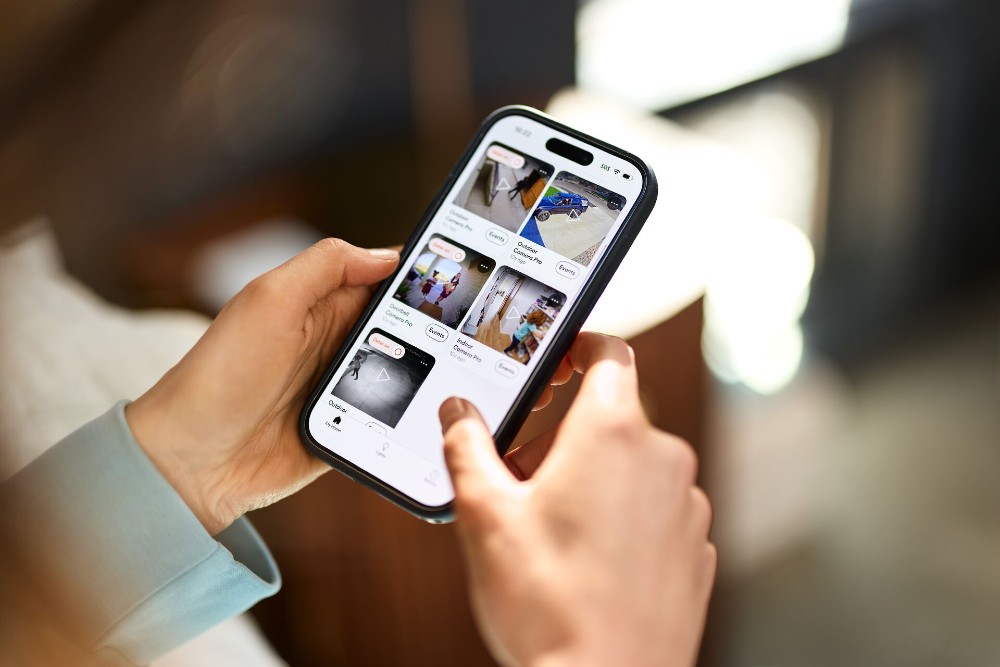
Get smart alerts and motion notifications
Smart alerts and motion notifications keep you informed about activity at your home without requiring you to constantly watch camera feeds. Your security camera app becomes proactive, reaching out to you when something needs your attention.
Basic motion detection sends a notification whenever your camera detects movement within its field of view. While useful, this can generate excessive alerts from routine activity like passing cars, blowing leaves, or pets moving through the frame. Modern smart security cameras address this through intelligent filtering.
Person detection uses advanced algorithms to distinguish between human movement and other motion sources. Instead of alerting you every time a tree branch sways, the app notifies you specifically when a person enters the camera's view. This dramatically reduces false alarms while ensuring you never miss genuinely important events.
Some systems take this further with package detection, vehicle detection, and even facial recognition. These capabilities let you customize exactly what triggers an alert based on your priorities. A parent might want immediate notification when an unfamiliar person approaches the front door, while a frequent online shopper might prioritize package delivery alerts.
The way modern cameras handle alerts represents a fundamental shift in how you use home security cameras. Rather than passive recording that you review after the fact, smart alerts create an active partnership between you and your security system. You stay informed in real time, empowered to respond immediately when situations warrant attention.
Customization options let you fine-tune notification behavior. You can set activity zones to monitor specific areas like driveways or entry points while ignoring others. You can schedule different sensitivity levels for day versus night. You can choose which events warrant push notifications versus which simply get logged for later review.
Related article
The Ultimate Security Camera Buying Guide
Use two-way talk to communicate remotely
Two-way talk transforms your security cameras from passive observers into active communication tools, letting you speak with anyone near your cameras through your smartphone. This feature bridges the distance between you and your home, enabling real-time interaction regardless of where you are.
The practical applications are extensive. When a delivery driver arrives, you can provide instructions for where to leave a package without being home. When your children come home from school, you can greet them and remind them to start homework. When an unexpected visitor rings the doorbell, you can ask who they are and what they need before deciding whether to respond further.
Two-way talk also serves as a deterrent. If you spot someone suspicious on your property through live view, you can speak directly to them—letting them know they're being watched and recorded. This immediate response capability often prevents problems before they escalate.
Setting up two-way talk is straightforward with most security camera apps. Vivint provides step-by-step guidance for initiating two-way talk from the app, making it easy to use this feature whenever the situation calls for it.
Audio quality varies between camera systems. Clear audio in both directions—from you to the camera's speaker and from the camera's microphone to your phone—ensures effective communication. Background noise reduction and echo cancellation improve the experience further.
For families, two-way talk creates connection opportunities throughout the day. Parents can check in with kids, pet owners can comfort anxious animals, and caregivers can communicate with elderly family members. The feature turns security hardware into a communication bridge that strengthens household bonds.
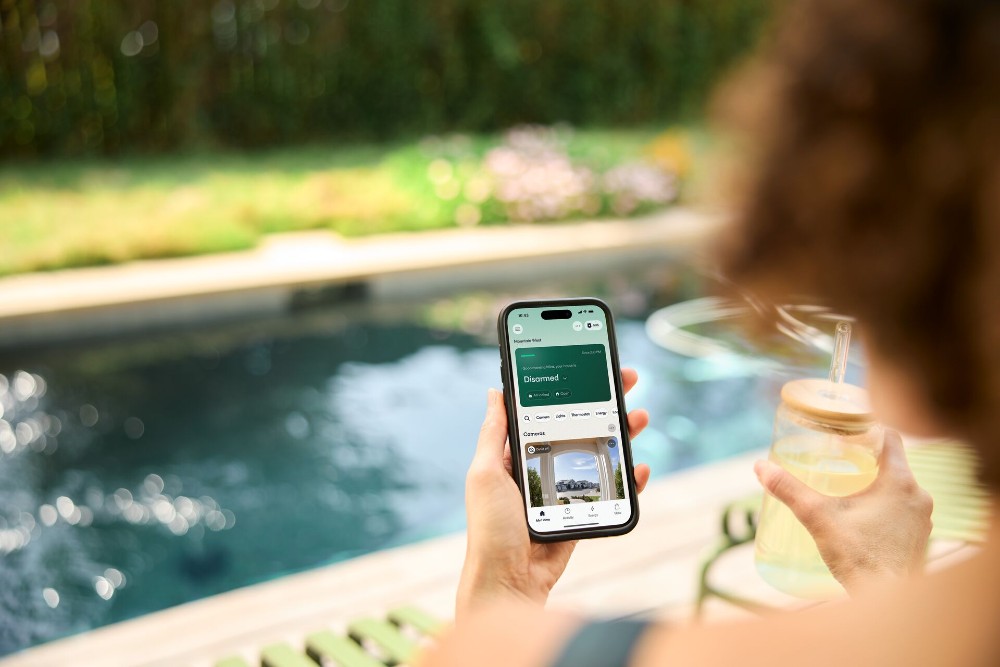
Control your entire smart home security system
A comprehensive security camera app does more than manage cameras—it serves as the control center for your entire smart home security system, unifying multiple devices under a single interface. This integration creates a cohesive security ecosystem rather than a fragmented collection of separate apps.
Through one app, you can arm and disarm your security system whether you're in bed or across the country. Forgot to set the alarm when you left for vacation? A few taps solve the problem. Want to disarm the system before your house cleaner arrives? You can do it from your office.
Smart lock integration lets you lock and unlock doors remotely. You can let in a trusted neighbor to water plants, grant temporary access to service technicians, or simply verify that all doors are secured for the night. Combined with camera footage, you can see who's at the door and decide whether to grant access—all from your phone.
Thermostat control through the same app means you can adjust temperature settings based on whether anyone is home. Garage door integration lets you open or close the garage remotely, verify its status, and receive alerts if it's left open. Lighting control enables you to turn lights on and off to simulate occupancy when you're away.
Understanding how security cameras work with smart home systems reveals why this integration matters so much. When devices communicate with each other, they can trigger automated responses. A camera detecting motion at night can automatically turn on exterior lights. A door sensor detecting entry can prompt cameras to start recording. A smoke detector alarm lead to unlocked doors to facilitate evacuation.
This ecosystem approach distinguishes professional smart home security cameras from basic Wi-Fi security camera setups. While standalone cameras offer video monitoring, integrated systems provide coordinated protection where every component works together toward the same goal: keeping your home and family safe.
Related article
What Is a Smart Home?
What you need to get started
Before setting up a security camera app, make sure you have the following:
- Stable Wi-Fi. Modern security cameras require a reliable home Wi-Fi network with sufficient bandwidth for video streaming. At least 2 Mbps upload speed per camera is recommended.
- Compatible smart phone. Make sure the app you want to use is compatible with your phone’s operating system. The Vivint app is available on both Apple and Android.
- Service plan. Most security camera apps require you to have an active subscription to use features like cloud storage, smart alerts, and professional monitoring.
- Power source. Depending on if you choose wireless or wired cameras, you’ll need access to nearby electrical outlets, battery chargers, or hardwired connection.
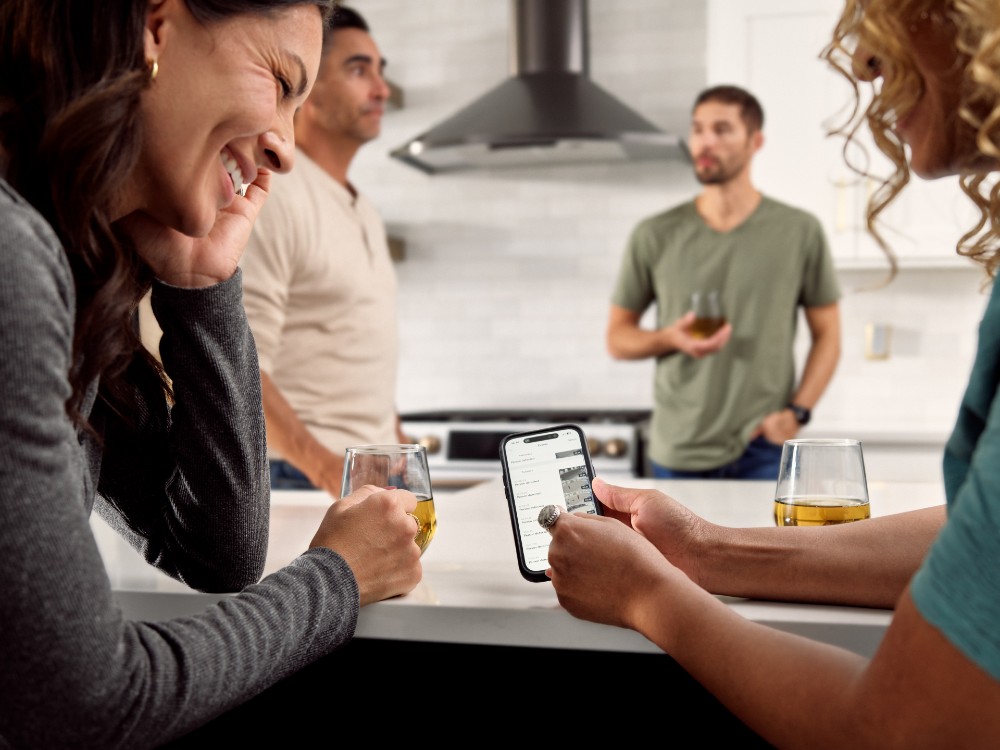
How to set up a security camera app
- Download the app from the App Store (iOS) or Google Play (Android)
- Create an account or sign in with your existing credentials
- Add your cameras to the app by scanning the QR code on the camera, entering the serial number, or following any in-app instructions
- Connect cameras to Wi-Fi by selecting your home network and entering your password when prompted
- If you’re installing your own devices, position and mount the cameras with clear views of entry points, driveways, or other areas you want to monitor
- Configure settings like detection zones, schedules, and notification preferences
- Test the system by triggering intentional alerts and verifying everything works correctly
For seamless security camera app and security camera system setup, professional installation is the only way to go. With Vivint, a licensed Smart Home Pro will come to your house, help you design your security system based off of your unique home and needs, install everything for you, and get you set up in the Vivint app before they leave.
Download our guide to home security.
Home is everything, so protect it. In this free guide you’ll find the information you need to create a safer, more secure home with the added convenience and comfort that come with smart automation.
Monitor multiple locations from one app
For homeowners with multiple properties or those who want comprehensive coverage of a single large property, the ability to monitor multiple locations from one app simplifies security management dramatically. Instead of juggling separate systems and logins, you access everything through a unified interface.
Vacation home owners benefit significantly from this. You can check on your beach house or mountain cabin without being there, verifying that everything remains secure between visits. If a storm rolls through, you can assess any visible damage. If a maintenance worker needs access, you can keep an eye on their progress and know when they come and go.
Business owners who also want to monitor their homes appreciate consolidated viewing. Switching between your residence and your storefront takes seconds, and you can set up different alert preferences for each location based on their unique security needs.
Even within a single property, multiple camera coverage creates comprehensive awareness. Outdoor wireless security cameras positioned around your home's perimeter work alongside indoor cameras to eliminate blind spots. The app lets you quickly cycle through different views or display multiple feeds simultaneously.
The ip camera viewer functionality within modern security camera apps handles this multi-camera, multi-location complexity elegantly. You can organize cameras by location, create custom groups, and set up favorite views for quick access to the feeds you check most often.
Remote monitors managing properties for elderly parents find this particularly valuable. You can ensure mom and dad's home remains secure, check that expected visitors arrive, and maintain awareness of daily patterns that indicate everything is normal—all without intrusive check-in calls.
Related article
All About Vivint Smart Deter™
Take control of your home with Vivint
Vivint differentiates itself through full ecosystem integration. The Vivint app isn’t just a security camera app: It connects your entire security system into one professionally monitored plans. This means coordinated responses (like lights turning on when motion is detected) and 24/7 professional monitoring that standalone apps just can’t offer.
Professional installation ensures your cameras are positioned optimally and your system is configured correctly from day one. Professional monitoring means trained specialists are watching over your home around the clock, ready to dispatch emergency services if needed. These layers of protection complement the direct control you maintain through the app.
The best home security cameras are only as good as the app that connects you to them. With Vivint, that connection is always strong, always reliable, and always ready to give you control over what matters most.
Ready to make the switch to a home security camera app? Contact a Vivint Pro today for a free quote at 855.822.1220
Frequently asked security camera app questions
What can you do with a security camera app?
A security camera app lets you view live video feeds, watch recorded clips, receive motion alerts, use two-way audio communication, control smart home devices, and arm or disarm your security system—all from your smartphone. These apps transform your phone into a complete home security command center, providing remote access to your cameras and connected devices regardless of your location.
How can I watch my security cameras on my phone?
Download your camera system's dedicated app, logg into your account, and select the camera feed you want to view. Most apps display all connected cameras on a home screen, letting you tap any thumbnail to open a full-screen live view. A stable wifi or cellular data connection is required for streaming.
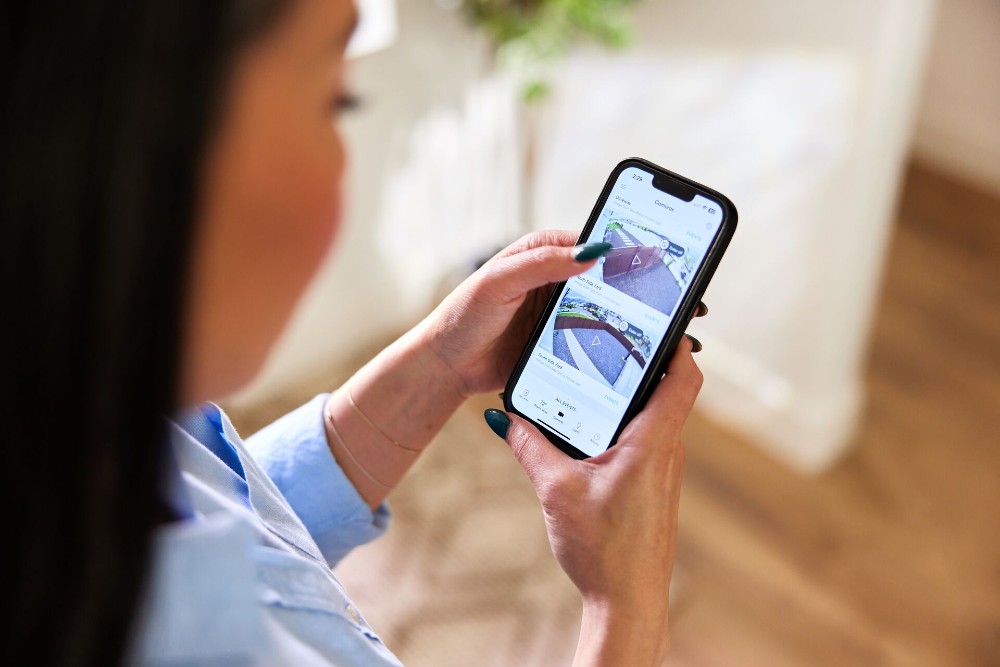
With Vivint HomeView, you can easily see cameras and a full-home status update, right from the Vivint app.
Is there a security camera app that works with any camera?
Most security camera apps are designed to work only with their manufacturer's cameras or with cameras within a specific ecosystem. Universal apps exist but typically offer limited functionality compared to dedicated apps. For the best experience with full feature access, use the app designed for your specific security camera system rather than seeking a one-size-fits-all solution.
Do security camera apps work without Wi-Fi?
No, security camera apps require an internet connection to access your cameras remotely. Your cameras need Wi-Fi to transmit footage to the cloud, and your phone needs Wi-Fi or cellular data to receive it. Some cameras offer local storage that can be accessed when you return home, but real-time remote viewing and alerts depend on active internet connectivity at both ends.
Can a security camera app send motion alerts to my phone?
Yes, security camera apps can send push notifications to your phone whenever motion is detected. Modern apps offer smart filtering to distinguish between people, vehicles, packages, and general motion, reducing false alarms from pets or environmental movement. You can customize which events trigger alerts and set schedules for when notifications are active.
Are security camera apps free, or do they require a subscription?
Many security camera apps are free to download, but full functionality often requires a subscription or service plan. Free tiers typically offer live viewing with limited cloud storage, while paid plans add extended video history, smart detection features, and professional monitoring. The Vivint app is free to download, but a Vivint service plan is required for complete access to all features.
How do I set up a security camera app on my smartphone?
Download the app from your device's app store, create an account or sign in, and follow the in-app instructions to connect your cameras. This typically requires scanning a QR code on the camera or entering a serial number, connecting the camera to your wifi network, and positioning the camera in your desired location. Professional installation services handle this process for you with systems like Vivint.
Get a free quote today.
A Vivint Smart Home Pro will contact you within 24 hours. Or skip the form and call now: 844.481.8630.
Everything works together
Combine products
for a safer home
You may also like:
Smart Guides
How to Make a Home Inventory for Insurance
Oct. 05, 2026

Home Security
Best Smart Home Devices for Elderly Parents: A Caregiver's Remote Setup
Set up an aging parent's home from yours: the smart locks, cameras, sensors, and alert pendant that let you help without hovering.
Oct. 02, 2026
Home & Family
Top Ways to Protect Your Smart Home From Cyberattacks
These tips will show you how to protect your home from cyberattacks during Cybersecurity Awareness Month.
Related content
-
Home Automation Services for Smarter Living
Control Security Equipment & Smart Home Devices with a Vivint Home Automation System. Call 855.747.4838 for More Information about our Award Winning 24/7 Smart Home Automation Systems.
-
Security Camera Systems
Vivint's Home Security Cameras System allows you to keep an eye on your home via Indoor Security Camera & Outdoor Security Cameras all Accessible through Vivint’s App. Call 855-743-7375 to ...
-
Vivint Services
Home Security Services & Business Alarm Monitoring with Professional Installation with any Vivint Package Call 844.395.9444 to Learn More about our Award-Winning 24/7 Monitoring Services


