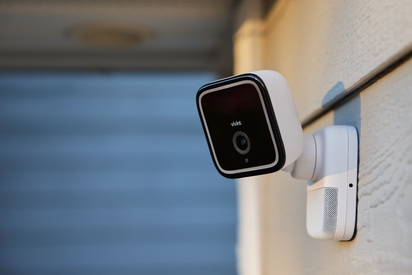
The Outdoor Camera Pro 3 takes smart features and functionality to the next level with powerful upgrades that protect your home and vehicle more accurately than ever.
Try the Vivint Smart Home App with Our Interactive Demo
Most home security apps ask you to hunt. You open the app, scroll past a wall of tiles, tap into a submenu, and finally find the one thing you were looking for: Was the back door locked?
The Vivint app is built with convenience first so you can live more while managing your house less. It opens on a summary of your whole home, puts the controls you use most right at the top, and uses AI to tag the events that actually matter instead of every squirrel that crossed your driveway.
You don't have to take our word for it. Tap through the demo below to see exactly what the Vivint app can do for you.
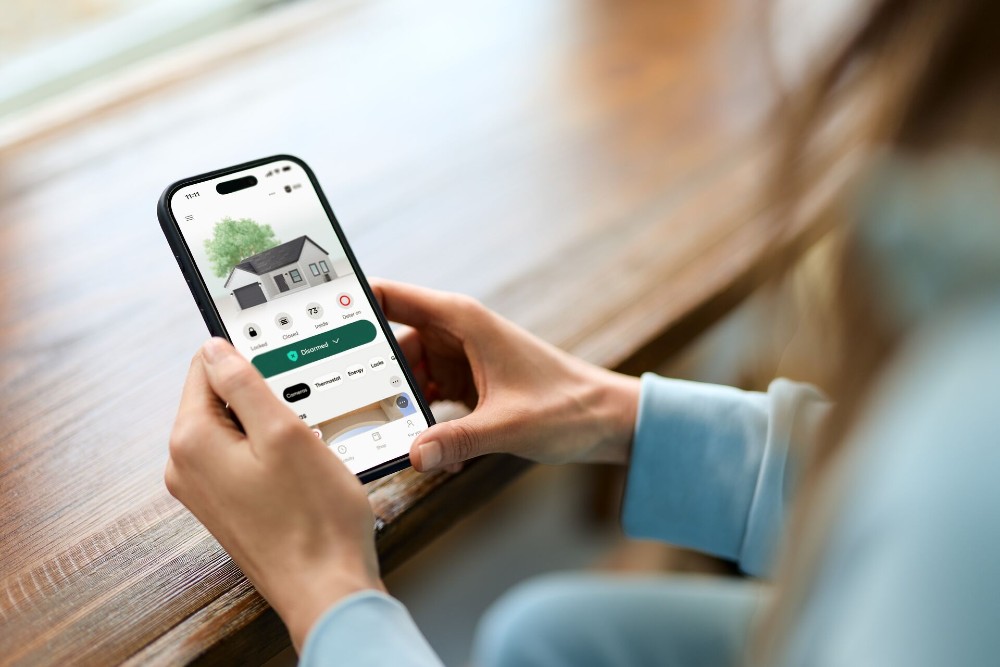
What is the Vivint app?
The Vivint app is a mobile application for iOS and Android that acts as the control center for your home security system and smart home devices. With it, you can control security, cameras, locks, thermostat, and lights from a single location.
From one screen on your phone you can:
- Arm and disarm your system
- Lock and unlock doors
- Watch live camera footage
- Adjust your smart thermostat
- Open or close the garage
- Review recent activity
- Set up Smart Actions for home automation
- Manage multi-user access and permissions
It works with every device in your Vivint system, so your locks, lights, thermostat, sensors, and cameras behave like one system instead of a phone full of separate apps.
Related article
Is Home Security Monitoring Worth It?
Vivint app quick facts
| Specs | Details |
|---|---|
| Supported platforms | iOS (App Store) Android (Google Play) |
| System requirements | Active Vivint system with professional monitoring |
| Smart assistant integration | Google Assistant |
| Key features | HomeView dashboard Live and recorded camera feeds Smart Actions Energy management Multi-user accounts Whole-home control |
| Monitoring plan pricing | Starting at $24.99 per month |
What features make the Vivint app the best smart home app?
The Vivint app offers whole-home control from a single interface. Instead of one app for lights, another for cameras, and a third for the thermostat, everything is managed from a single app. But that’s not the only reason Vivint has the best home security app—features like HomeView, HomeHighlights, smart alerts, and Custom Actions simplify your life so you can live more, manage less.
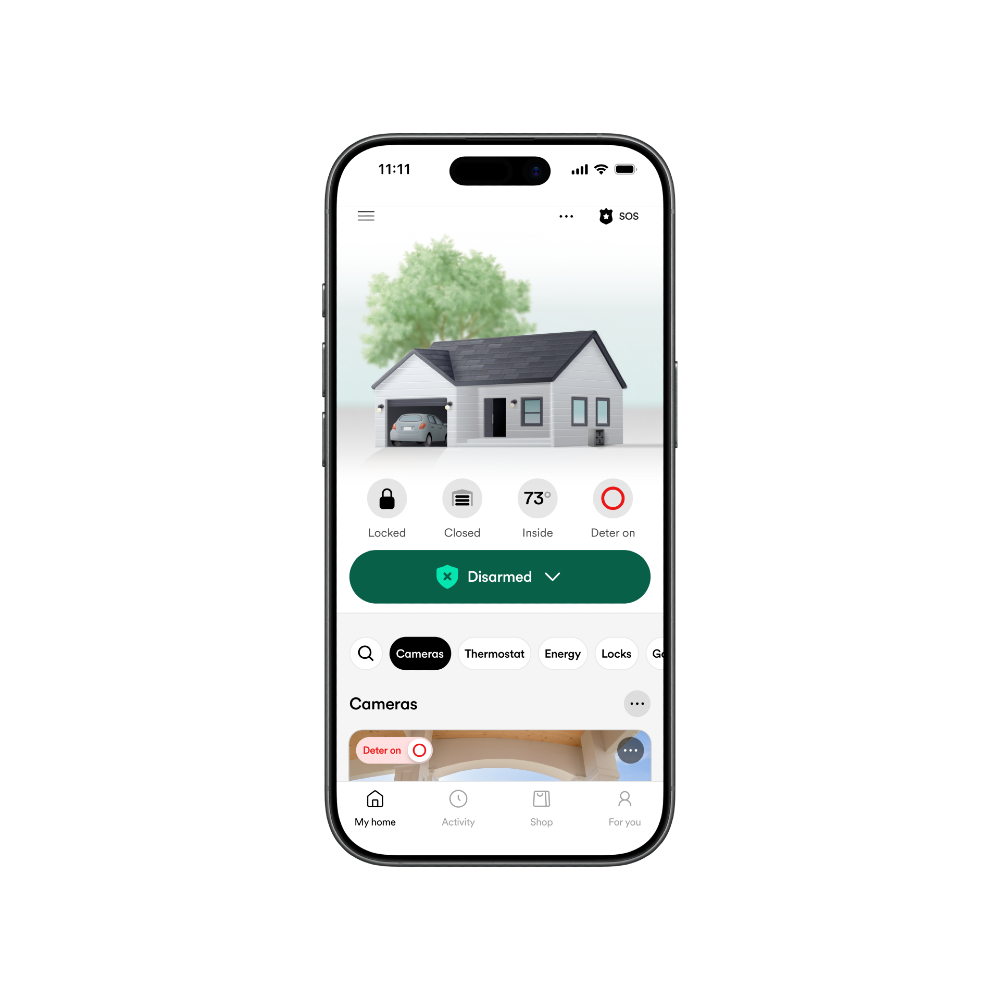
See your whole home at a glance with HomeView
The first thing you see when you open the app is HomeView, a quick visual summary of the status of your home and Vivint home security devices.
Is your system armed or disarmed? Are the doors locked or unlocked? Is the garage open or closed? Is Smart Deter™ on? It’s easy to see and update the status of any device with a few easy taps. You don’t have to scroll to find what matters because the summary is the home screen.
You can even customize the HomeView home so it looks like your house. Update the scenery, roof style, wall pattern, and house color to make it feel like home.
Understand key events with HomeHighlights
HomeHighlights curates the most important events from your system and organizes them into easy-to-browse categories. Instead of one endless activity feed, you get key events, summarized and ingestible at a glance.
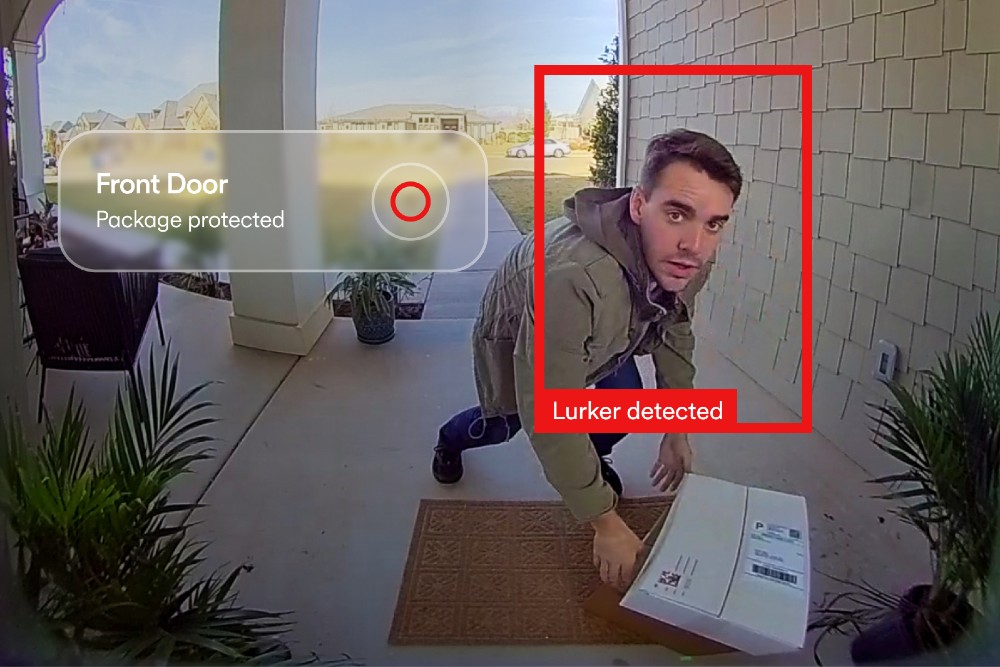
Get important notifications with smart alerts
Vivint home security systems use AI to make sure you only get notified about events that matter. When an event triggers—like package detection for a new delivery—you’ll be notified instantly through the Vivint app.
View security camera footage from anywhere
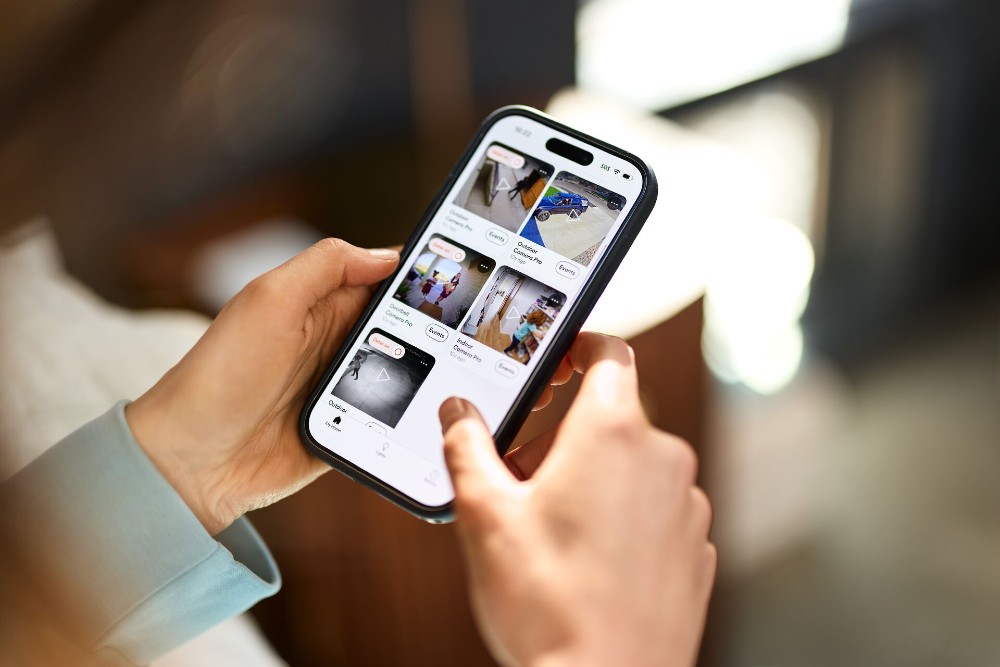
Footage from your Doorbell Camera Pro, Outdoor Camera Pro, and Indoor Camera Pro is easy to view in the Vivint app. Pull up recorded clips to see what you’ve missed, or view live camera footage and speak to visitors thanks to one-way video and two-way talk.
Put your home on autopilot with Smart Actions
With Smart Actions (also known as custom actions), you can put your home on a schedule to save yourself time and mental energy.
Beginner Smart Actions to try:
- Fire safety: If the smoke alarm goes off, unlock all exterior doors, open the garage door, stop the HVAC system, and turn on the lights.
- Bedtime: At 11 p.m., lock every exterior door, set the system to Armed Stay, turn off the lights, and adjust the thermostat.
- Leaving: Whenever the system is set to Armed Away, lock every door.
Want more ideas? Our guide to smart home routines walks through six ideas
Understand where your energy is going
The Vivint app also shows you energy usage insights, so the same screen that keeps your home secure helps you understand what it costs to run. You can see how your usage trends over time and adjust your thermostat schedule around what you find.
If you enable Smart Comfort on the Vivint Thermostat, your thermostat will auto-adjust based on your location and schedule, reducing heating and cooling costs. Smart Comfort delivers up to $300 a year* in energy savings, up to 4x* more than a standard programmable thermostat.
For more ideas on trimming your energy bill, see cutting costs with a smart home.
*Estimated savings only, not guaranteed. Actual savings vary. Learn more.
Control system access across multiple users
Homes have more than one person in them, and not everyone needs the same controls.
You can customize system access across multiple users, so your partner has full control, your teenager can disarm the system after school, and your dog walker gets what they need and nothing else. Everyone gets their own access instead of sharing a code, which also helps you see who did what and when.
Customize your home screen layout
It’s easy to rearrange your home screen layout so the updates you care about show up first. If you check the thermostat more often than your doorbell camera footage, simply drag and drop in “Rearrange Sections” until you’re happy with the order.
Plus, with HomeView customization, you can make the home in the app look like where you live.
Related article
Why Professional Installation Matters
What can you do from the Vivint app?
| Action | In the Vivint app |
|---|---|
| Check if the house is secure | See system arm status, locks, doors, and garage doors in one visual with HomeView |
| Catch up on the day | Watch important events that are sorted into browsable categories with HomeHighlights |
| See who's at the door | View live camera feeds and recorded clips from all cameras |
| Let someone in | Tap to unlock smart locks |
| Automate everyday routines | Set Smart Actions to run on a schedule or when an event triggers |
| Track energy usage | Control the thermostat and view energy insights |
| Share control of your security system | Set custom access levels for each user |
| See important updates | Get alerts that matter with AI smart alerts |
See it in your own home
Now that you’ve seen all the Vivnt app can do, it’s time to get started on your own Vivint system. A Smart Home Pro will design your system with you, install it for you, and walk you through the Vivint app before they leave, so you're confident using it from day one.
Contact us for a free quote, or call 855.822.1220 to get started today.
Frequently asked questions
Let the Vivint app help keep your home and family safe. Learn more by reading frequently asked questions here.
What is the Vivint app used for?
The Vivint app is the control center for your Vivint security system and smart home devices. You can use it to arm and disarm your system, lock and unlock doors, view live camera footage, control your thermostat and lights, open the garage, review activity, and set up automated Smart Actions—all from your phone, from anywhere.
Can I try the Vivint app before I become a customer?
Yes, you can use the demo on this page to try out the app before becoming a Vivint customer. The interactive demo on this page lets you tap through the app with a sample home, so you can see HomeView, camera feeds, and Smart Actions before you buy. No download or account required.
Do I need a Vivint system to use the app?
Yes, you need an active Vivint system with professional monitoring to use the Vivint app. The app controls Vivint equipment, so it works once you have a Vivint system installed. Without an active Vivint service plan, product and system functionality is limited, including loss of remote connectivity.
Can I control my Vivint system when I'm not home?
Yes, you can control your system from anywhere with the Vivint app. As long as your phone has an internet or data connection, you can arm and disarm your system, check cameras, lock doors, and adjust your thermostat remotely.
Can more than one person use the Vivint app?
Yes, multiple users can access the app. You can set up multiple users and customize what each person can access, so everyone in the household gets the right level of control.
Does the Vivint app work with Google Assistant?
Yes. Vivint works with Google Assistant, so you can arm your system, lock doors, and run routines with a voice command from a Google Home or Nest speaker.
What happens to the app if my internet goes out?
Core security and monitoring keep running, because the Vivint Smart Hub has a built-in cellular connection. App control and remote access need the internet, and everything syncs back up once you're online.
Is the Vivint app free?
Yes, the Vivint app is free to download. While the app does not have a cost, users do need to have an active Vivint system with professional monitoring for full functionality.
Where can I download the Vivint app?
The Vivint app is available from the Apple App Store (iOS) or Google Play (Android). To use the app, you need an active Vivint security system with professional monitoring.
What happens to the Vivint app if my internet goes out?
During an internet outage, features like app control and remote access will be temporarily unavailable because those features rely on Wi-Fi to function. Once connection is restored, all features will be fully available.
Get a free quote today.
A Vivint Smart Home Pro will contact you within 24 hours. Or skip the form and call now: 844.481.8630.
Everything works together
Combine products
for a safer home
You may also like:
Security Cameras
Vivint Outdoor Camera Pro: Meet the Smartest Outdoor Camera on the Market
Feb. 04, 2026
Smart Guides
The Vivint Buying Guide: What's Included, Average Cost, and How to Buy
Interested in a Vivint Smart Home system but still have some questions? We've got answers for the most frequently asked questions about our security systems.
Nov. 07, 2019
Home & Family
10 Things You Probably Didn’t Know About Vivint
Vivint Smart Home is the number one smart home service provider in North America, and enhances the lives of children with intellectual disabilities through Vivint Gives Back.
Feb. 02, 2018
Related content
-
Home Automation Services for Smarter Living
Control Security Equipment & Smart Home Devices with a Vivint Home Automation System. Call 855.747.4838 for More Information about our Award Winning 24/7 Smart Home Automation Systems.
-
Security Camera Systems
Vivint's Home Security Cameras System allows you to keep an eye on your home via Indoor Security Camera & Outdoor Security Cameras all Accessible through Vivint’s App. Call 855-743-7375 to ...
-
Vivint Services
Home Security Services & Business Alarm Monitoring with Professional Installation with any Vivint Package Call 844.395.9444 to Learn More about our Award-Winning 24/7 Monitoring Services


