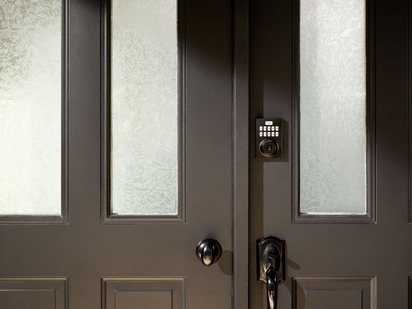
Learn how smart locks work, how they connect to your home, and how keyless entry, remote access, and smart home integration can improve convenience and security.
Home Security While on Vacation: Keeping Your Residence Safe
Key takeaways
- Securing your home while on vacation requires layering physical precautions—like locking doors and pausing mail—with smart technology that enables remote monitoring, automated lighting schedules, and real-time alerts to deter criminals and catch problems early.
- Essential actions include:
- Lock all doors and windows and verify sensor status
- Set up automated lighting schedules using vacation mode
- Pause mail and newspaper delivery
- Arrange for package collection by a trusted neighbor
- Enable away-mode alarms with increased sensitivity
- Position outdoor cameras to cover entry points
- Set up real-time alerts and professional monitoring
- Avoid posting travel updates on social media until returning
Preparing your home security while on vacation requires more than just locking your doors. You need a comprehensive strategy that protects against break-ins, unpredictable weather, and more.
When homeowners leave for extended trips, their properties become targets for burglaries, with empty homes being prime opportunities for criminals. According to the FBI, the average property loss per burglary is approximately $2,661—a significant financial impact on top of the emotional toll. In addition to security threats, unmonitored homes face risks from water leaks, temperature extremes, and system failures that can cause thousands of dollars in damage.
This guide covers smart tools and practical steps that transform an empty house into a well-protected space. The Vivint smart home ecosystem supports your peace of mind through automation, monitoring, and real-time alerts connect you to your property throughout your entire travel. Home protection strategies like intelligent lighting schedules, professional monitoring, and entry point reinforcement help to deter criminals and catch potential safety issues before they escalate into real problems.
Whether you're planning a weekend getaway or an extended vacation, this guide will give you the right preparation to ensure you return to a safe, secure home.
What are the top ways to secure your home on vacation?
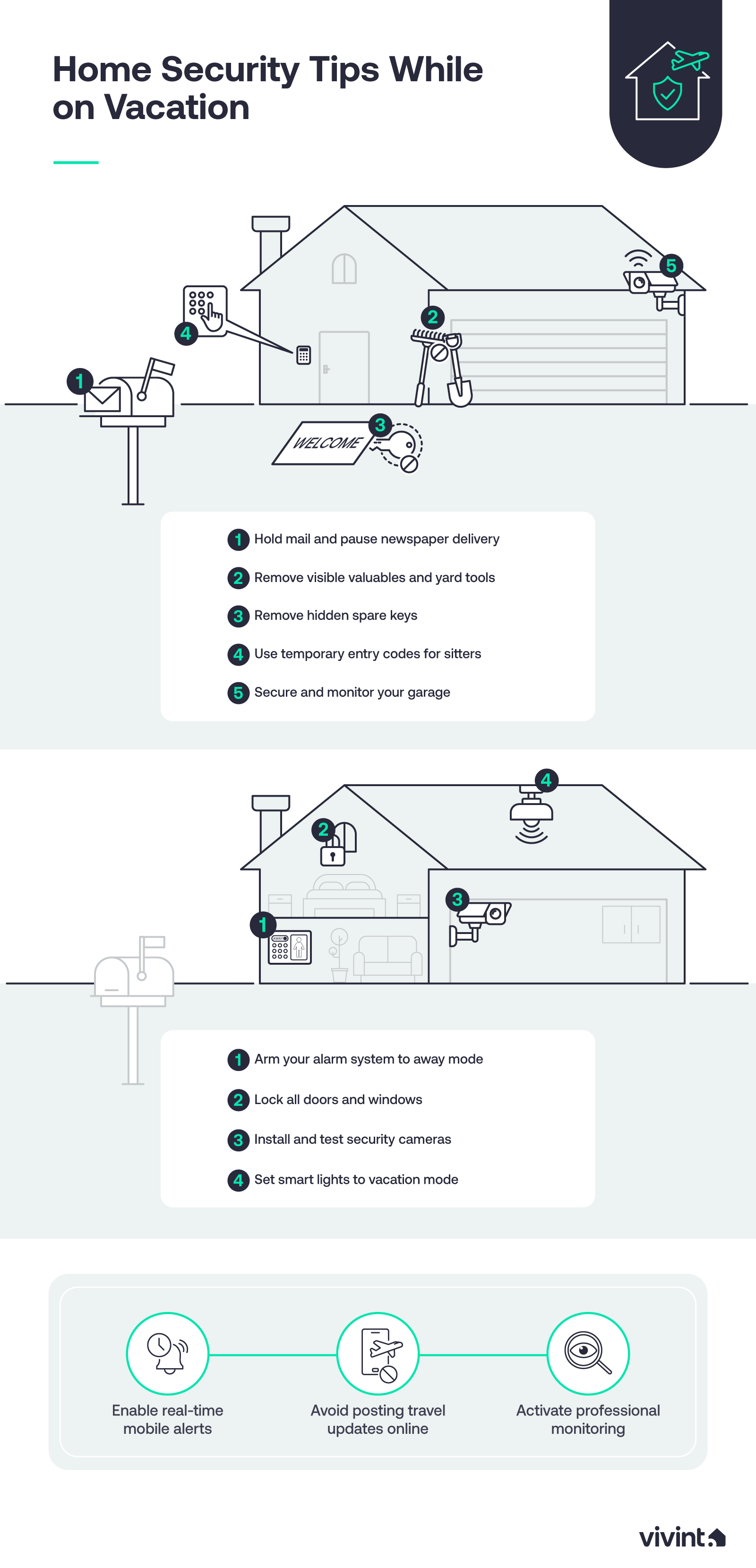
- Lock all doors and windows and verify sensor status
- Set up automated lighting schedules using vacation mode
- Pause mail and newspaper delivery
- Arrange for package collection by a trusted neighbor
- Enable away-mode alarms with increased sensitivity
- Position outdoor cameras to cover entry points
- Set up real-time alerts and professional monitoring
- Avoid posting travel updates on social media until returning
How can you make your home look occupied?
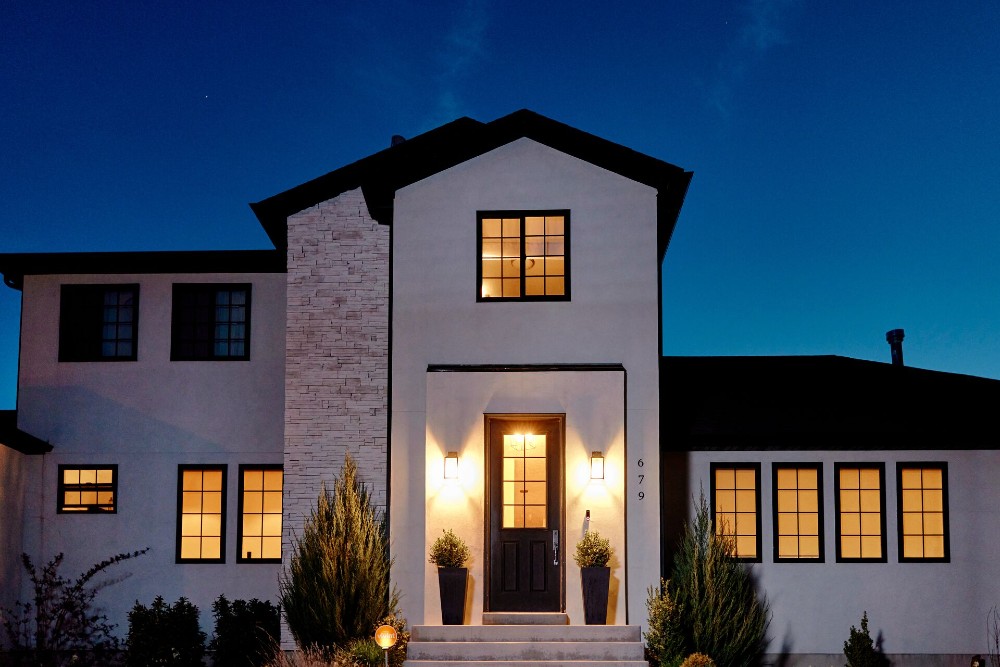
The most effective deterrent against potential burglars is making your home appear occupied. Criminals typically scout neighborhoods looking for signs of absence—dark windows at night, overflowing mailboxes, and static environments that signal no one's home.
When a house looks lived-in, it dramatically increases the perceived risk of getting caught. This causes most burglars to move on to easier targets.
Smart devices excel at creating the illusion of presence because they operate on your behalf when you're away. Unlike simple timers that follow predictable patterns, connected smart home security systems can randomize activity, respond to real-world conditions, and even alert you to potential threats.
Traditional vs. smart security measures
| Traditional approach | Smart home solution | Key benefit |
|---|---|---|
| Asking neighbors to watch the house | Remote video monitoring via the Vivint app | Visual confirmation anytime, from anywhere |
| Basic light timers with fixed schedules | Smart lighting with randomized patterns | Mimics natural human behavior |
| Stopping mail at the post office | Package detection alerts + neighbor coordination | Real-time notification of deliveries that don't go to your mailbox |
| Leaving a car in the driveway | Smart garage door monitoring | Alerts for any access attempt |
| Manual thermostat adjustment | Smart thermostat with away mode | Prevents freeze damage, saves energy |
Homeowners can enhance this technological advantage with simple behavioral steps. Ask a trusted neighbor to collect visible deliveries. Clear away any lawn equipment, ladders, or tools that could help someone access your home.
Ultimately, the goal is to maintain the normal look of your home while layering in smart automation that operates 24/7.
Should you leave lights on while on vacation?
Today, 85% of people have at least one smart device in their home. For many homeowners, that list includes smart lights.
Smart lights represent one of the most powerful tools for simulating occupancy in DIY security systems. These connected devices create random on/off patterns throughout your home that mimic real human behavior far better than traditional timers.
Old-school timers switch lights at the exact same time each night—a pattern that observant criminals can detect. Smart devices vary their schedules, making it appear that people are moving through different rooms at different times.
Vacation mode lights (a pre-programmed setting that automatically varies lighting patterns to simulate occupancy) take this concept further by adjusting automatically based on sunset times and other factors. Many smart home security systems include vacation settings that maintain activity, even when your schedule changes due to travel across time zones.
Some systems can even trigger lights based on motion detected by outdoor cameras. This layered approach—combining scheduled automation with smart responses—transforms your empty home into one that appears fully occupied.
Manage mail, deliveries, and visible signs of absence
Nothing signals an empty home more obviously than an overflowing mailbox or packages piling up on the porch. These visible accumulations tell criminals exactly what they want to know: no one has been home for days.
- Pause mail and newspaper delivery. Use the USPS Hold Mail service to temporarily stop mail delivery during your vacation. This free service holds your mail at the post office for up to 30 days. Likewise, if you receive a physical newspaper, contact the publisher to pause delivery until you're back home.
- Arrange for package collection. If you're expecting Amazon or other deliveries while away, ask a trusted neighbor to collect packages immediately. Alternatively, redirect shipments to an Amazon Locker or hold them at the carrier's facility until you return.
- Remove porch clutter and valuables. Put away ladders, bikes, tools, and expensive outdoor furniture. Don't leave valuables visible through windows.
Create a pre-travel home security checklist
A pre-departure safety checklist simplifies your vacation preparation and ensures nothing gets overlooked. When you're rushing to pack and get out the door, it's easy to forget critical security settings that keep your home safe.
Having a structured list of tasks brings peace of mind. You can review key settings systematically before leaving, knowing you've covered all the essential security measures.
Here's what to include on your checklist:
- Enable lighting schedules and test them at least one day before departure
- Activate away-mode alarms (increased sensitivity with all entry points monitored)
- Verify all smart locks are engaged and door/window sensors show "closed" status
- Test notifications from cameras, sensors, and alarm system on your phone
- Program smart speakers to play sounds periodically
- Pause mail deliveries through USPS Hold Mail service
- Arrange package collection with a trusted neighbor
- Remove outdoor spare keys and store valuables out of sight
- Check that outdoor cameras cover garage, driveway, and side gates
- Test motion lighting placement and functionality
Download our guide to home security.
Home is everything, so protect it. In this free guide you’ll find the information you need to create a safer, more secure home with the added convenience and comfort that come with smart automation.
Strengthen entry-point security before leaving
Reinforced entry points help reduce break-in attempts by making your home a harder target. Most burglars look for quick, easy access—if they encounter resistance at doors and windows, they typically move on rather than risk the time and noise of forced entry.
Entry point security works best when combined with visible deterrents. Outdoor cameras, motion sensors, and alarm systems all communicate that your home is protected. This layered approach addresses both the physical security of access points and the psychological deterrent of surveillance.
Even when you're thousands of miles away, properly secured entry points protect your valuables and give you peace of mind. A home security system with multiple layers of protection keeps homeowners confident throughout their trip.
Upgrade door and window protection
Doors and windows are the primary entry points for most break-ins. Strengthening these access points before you leave is one of the most effective security measures you can take.
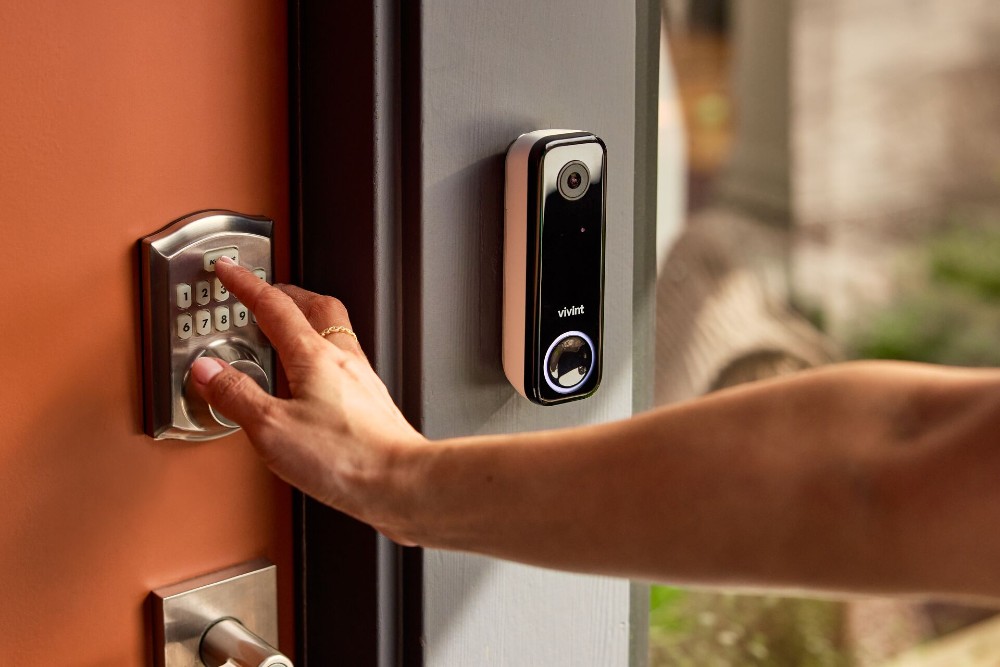
- Install or check smart locks and deadbolts. Verify that all exterior doors have working deadbolts. Smart locks add the benefit of remote monitoring and control, letting you check lock status from anywhere.
- Verify all door and window sensors are active. Open your security app, confirm that every sensor shows proper status, and test each one by opening and closing the door or window to ensure it triggers correctly. Replace the batteries in any sensors that show low power.
- Remove outdoor spare keys. Take away any hidden keys from under doormats, planters, or fake rocks. Burglars know all the common hiding spots, so it's better to give a key to a family member or trusted neighbor, or generate temporary access codes for your smart lock.
- Reinforce common entry points. Back doors, side doors, and ground-floor windows are less visible than main entrances, which is why many burglars use them. Pay extra attention to these areas when checking locks and sensors.
- Install a video doorbell. Being able to see who is at your door anytime, from anywhere, is a perk that will give you peace of mind on any vacation. The Vivint Doorbell Camera Pro notifies you instantly when a person or package arrives at your doorstep, and with the camera’s two-way talk feature, you can talk to them in real-time through the Vivint app.
Secure garage and outdoor areas
Garages often provide easier access than front doors, making them a favorite target for break-ins. An unsecured garage door opener or unlocked side entrance can compromise your entire home, so make sure you check these areas before leaving.
- Verify garage door opener settings. Check that your garage door is fully closed and locked. If you have a smart garage door opener, enable alerts for any opening or closing activity. Consider unplugging traditional openers if you'll be gone for an extended period of time.
- Enable smart alerts for garage access. Set your system to notify you immediately if the garage door opens. Some systems also alert you to unusual vibrations or attempted forced entry at the garage.
- Position outdoor cameras strategically. Place cameras to cover the garage entrance, driveway, and any side gates or pathways. Visible cameras serve as deterrents while providing you with real-time visibility if something does happen.
- Check motion lighting placement. Test motion sensors at night before you leave to ensure they cover key zones and that the lights are working properly. They provide home protection by eliminating hiding spots and startling potential intruders.
Related article
Get Vacation Ready with Vivint
Use smart monitoring and real-time alerts
Smart monitoring maintains your awareness of what's happening at home when you're away. Rather than wondering whether everything is okay, you receive immediate notifications about any unusual activity or system issues.
Real-time alerts help catch problems early, whether it's an attempted break-in, a water leak, or a malfunctioning appliance. This immediate visibility lets you respond quickly—contacting authorities, asking a neighbor to check on things, or adjusting settings remotely.
Vivint professional monitoring benefits extend beyond simple notifications. With 24/7 monitoring, trained security experts watch your system and can dispatch emergency services when needed.
This combination of personal alerts and professional oversight ensures your home remains safe at all times.
Set up live video and notifications
Video surveillance provides visual confirmation of what's happening at your property. Setting up proper camera notifications before you leave ensures you're alerted to important activity without being overwhelmed by false alarms.
Live video gives you the ability to check in on demand whenever you want. If you receive an alert, you can immediately pull up the camera feed to see what triggered it. This real-time visibility helps you distinguish between a delivery person, a neighbor, or a potential threat.
Video doorbells add critical visibility to your front entrance. Visible doorbell cameras serve as significant deterrents for criminals, making them avoid homes where they know they're being recorded. They also let you see and speak with anyone who approaches, whether it's a delivery driver or an unwanted visitor.
Before leaving, review your camera angles to ensure they capture the areas you need. Test the live video feed from your phone to confirm you have clear views and that notifications are working properly. Security cameras that are properly positioned and configured give you comprehensive awareness of your property throughout your trip.
Use professional monitoring and alarm settings
Professional monitoring provides 24/7 oversight that doesn't depend on you checking your phone. When your alarm system detects a problem, trained professionals assess the situation and contact emergency services if needed.
Before you leave, update your alarm system to away mode. This setting arms all sensors to detect any entry attempts. Away mode alarm settings ensure comprehensive protection while you're gone.
Some advanced home automation platforms—like the Vivint app—let you control everything from one place. From security cameras and door locks, to smart thermostat and water heater monitoring, it's all taken care of in a single app. This integration means you're not juggling multiple apps or missing critical notifications.
Security considerations by vacation length
Your security needs differ based on how long you'll be away. Here's how to adjust your approach:
Weekend trips (1-3 days)
- Enable away mode on your alarm system
- Set smart lighting schedules
- Lock all entry points and verify sensor status
- No need to pause mail delivery
Week-long vacations (4-10 days)
- Complete all weekend trip steps
- Pause mail and newspaper delivery
- Arrange for package collection
- Ask a neighbor to check on the property once or twice
- Adjust thermostat to prevent extreme temperatures
Extended travel (2+ weeks)
- Complete all steps above
- Consider having someone mow the lawn or clear snow
- Unplug unnecessary appliances to prevent electrical issues
- Set water heater to vacation mode
- Have a trusted person do a walkthrough mid-trip
- Notify local police of your absence (some departments offer vacation watch programs)
Social media and digital safety while traveling
Your online behavior can compromise your home security just as much as an unlocked door. Sharing travel details on social media broadcasts to potential burglars that your home is empty and vulnerable.
Digital security extends beyond social posts. Your connected devices and network access also need protection while you're away, especially if you've given access to house sitters or pet sitters.
Can you post on social media while on vacation?
Public vacation posts create obvious opportunities for criminals. When you share photos from the beach or announce your departure date, you're essentially advertising an empty home to anyone who follows you—or their friends who might see shared content.
Wait until you return home to share your trip photos. Your followers will still enjoy your vacation content, but you won't be putting your valuables and home protection at risk. If you must post during travel, review your privacy settings to ensure only trusted friends can see your content.
Consider the broader digital footprint, too. Check-ins at airports, tagged photos from friends, and even automated posts from fitness apps and GPS trackers like smart watches can let strangers know you're away. Homeowners should audit all their social media accounts and connected apps before leaving to prevent accidental location sharing.
Safeguard connected devices and network access
Unsecured Wi-Fi networks and smart devices can be exploited while you're away, and unnecessary device usage can create access vulnerabilities.
- Check device access. Review device access lists in each smart home app you use to make sure that there aren't any lurkers or old (and possibly unsecure) devices listed.
- Turn off unneeded devices. If there are devices that don't need to be operational while you're away, such as smart TVs or fitness equipment, make sure they're completely powered down—or better yet, unplugged.
- Remove temporary access. If you need to grant access to visitors or service providers, house sitters, or pet walkers, create temporary codes or permissions that expire automatically after your return.
Smart devices themselves should be secured with strong passwords and two-factor authentication when available. Check that all devices have the latest firmware updates installed, as these often include important security patches.
Related article
7 Cybersecurity Tips to Stay Safe While Traveling
Keep your home protected with smart security
Protecting your home while on vacation requires a combination of smart technology, practical preparation, and consistent awareness. The strategies covered in this guide work together to create multiple layers of security that deter criminals and alert you to potential problems.
From lighting schedules that simulate occupancy to video cameras that provide visual confirmation, security devices give you control over your property from anywhere. Combined with simple steps like managing deliveries and securing entry points, these tools create a comprehensive protection strategy.
Ready to upgrade your vacation security? Explore Vivint's home security system options to find the right combination of smart devices and professional monitoring for your needs. Give us a call at 855.822.1220 today.
FAQs about home security while on vacation
These frequently asked questions address common concerns homeowners have about protecting their properties during travel.
Do porch lights really deter burglars?
Short answer: Porch lights can help deter break-ins, but only when used strategically.
A light that's on 24/7 actually signals that no one's home to turn it off, while complete darkness makes your home an easy target.
The most effective approach combines lighting with smart schedules and motion detection. Smart lights that turn on at sunset and off at a realistic bedtime create the appearance of normal activity. Motion sensors add reactive lighting that startles potential intruders and eliminates hiding spots.
Which houses do burglars typically avoid?
Short answer: Burglars consistently avoid homes with visible security devices and signs of active monitoring.
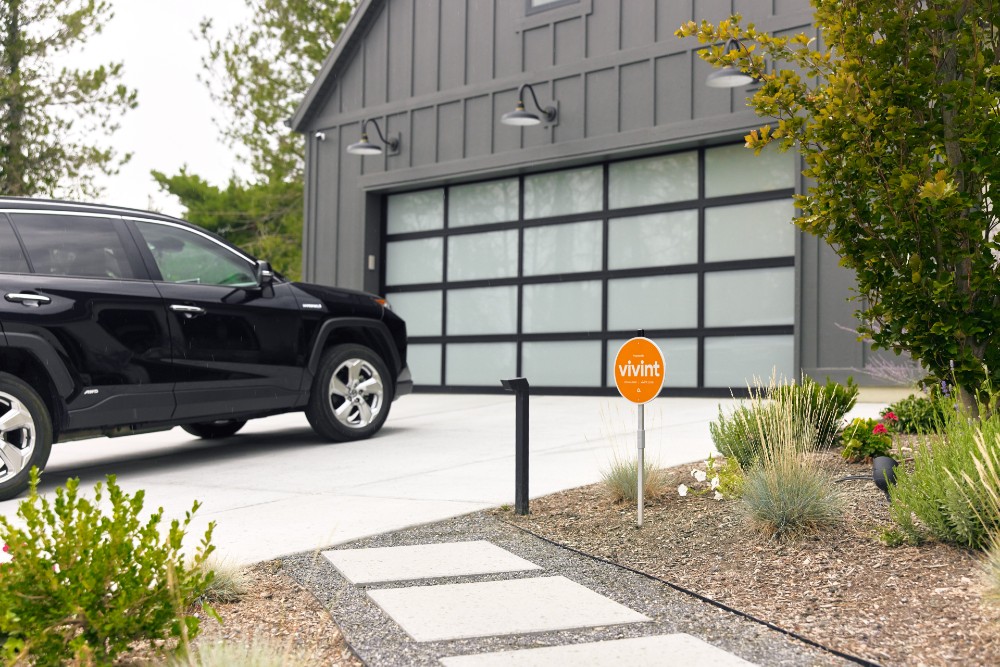
Properties with security cameras, video doorbells, and alarm system signs communicate that breaking in carries a significant risk of being caught.
Beyond security devices, environmental cues matter. Homes with well-maintained yards, adequate lighting, and visible activity suggest attentive homeowners and watchful neighbors. Break-ins require time and create noise—criminals prefer targets where they can work without being noticed.
How much is a home security system?
Short answer: Home security system costs vary based on equipment needs and monitoring plans.
Basic systems might include door sensors, a control panel, and motion detectors, while comprehensive setups add security cameras, smart locks, video doorbells, and environmental sensors.
Professional monitoring typically requires a monthly fee that covers 24/7 oversight by trained security experts. This service ensures someone is always watching your system and can dispatch emergency services when needed. The exact cost depends on the level of monitoring and the features included in your plan.
Is it legal to install a home security system in a vacation rental?
Short answer: Installing a home security system in a vacation home is generally legal, but you must inform guests about any monitoring devices.
Transparency in your monitoring plan is essential—guests need to know where cameras are located and what areas are being recorded.
Security cameras cannot monitor private interior spaces like bedrooms and bathrooms. Most vacation rental platforms require hosts to disclose all surveillance devices in their listings. Violating these disclosure requirements can result in penalties and legal liability.
Get a free quote today.
A Vivint Smart Home Pro will contact you within 24 hours. Or skip the form and call now: 844.481.8630.
Everything works together
Combine products
for a safer home
You may also like:
Home Security
How Do Smart Locks Work?
Sep. 15, 2026
Home Security
10 Advantages of Smart Locks
Smart locks allow you to lock and unlock your door remotely with your smartphone, providing convenient keyless entry to your home.
Sep. 14, 2026
Home Security
Locked Out of Your House? Here's What to Do
Locked out of your house? Here's how to get back inside now, what to do within 24 hours, and how to make sure it never happens again.
Aug. 28, 2026
Related content
-
Protecting the Home While You're Away
Exploring Americans planning to protect their homes while preparing the next big trip and if they developed bad home security habits during COVID-19.
-
12 Ways to Winterize Your Vacation Home
To protect your vacation home from burglaries and costly accidents, check out our top 12 tips for homeowners securing your vacation home while you’re away.
-
Smart Lighting & Security: How Do Automated Lighting Schedules...
Learn how to set up an automated lighting schedule, which deters burglars, boosts home security, and integrates seamlessly with Vivint systems.


