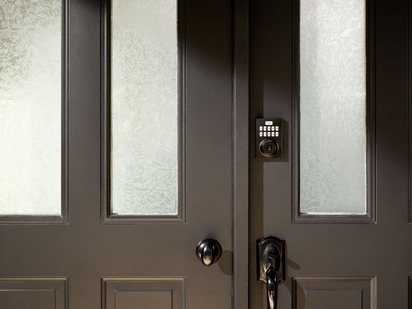
Learn how smart locks work, how they connect to your home, and how keyless entry, remote access, and smart home integration can improve convenience and security.
Smart Home for ADUs and In-Law Suites: Privacy, Access, and Security on Both Sides of the Door
So, your accessory dwelling unit (ADU) is finally move-in ready. The drywall is dry, the appliances are in, and your in-law (or your first vacation rental guest) is showing up tomorrow. How do you give them access to the unit without giving them access to the whole house? Where do the cameras go (and where don't they)? If the smoke detector trips in the ADU at 2 a.m., who gets the alert?
What is an ADU?
An accessory dwelling unit (ADU) is a secondary housing unit on a single-family residential lot that includes independent living facilities such as a kitchen, bathroom, and sleeping area. ADUs go by a few different names: in-law suite, granny flat, guest house, or simply a separate living space on the lot. They've become one of the most flexible housing options for homeowners who want the functionality of a second unit without splitting the lot.
Common ADU types include:
- Detached ADU: A standalone structure built fresh in the backyard
- Attached ADU: A home addition connected to the existing home
- Garage conversion: An existing garage wired into the main home's electrical system and converted to living space
- Basement conversion: An existing space already attached to the main house, remodeled into an independent unit
Whether your ADU project serves aging parents, other family members, an adult child, a home office, or a rental unit producing rental income, the operational decisions on access, cameras, alarm zones, and shared safety sensors are the same. The four questions below are the ones every ADU and in-law suite owner answers (often badly) the day they hand over a key.
| 1. Access | 2. Cameras | 3. Alarms | 4. Safety Sensors |
|---|---|---|---|
| Who has which door codes? How do you give a renter the ADU code without sharing yours, and how do you revoke it? |
Where should cameras go, and where shouldn't they? Outdoor coverage is fine. Interior cameras inside the rented ADU usually aren't. |
Which sensors trigger which alarms? An ADU break-in alert shouldn't wake the main house, and vice versa. |
Who gets the water and smoke alerts? Shared plumbing and a shared roof mean a problem in either unit affects both. |
Give selective access
The day your in-law suite is move-in ready, the first decision you'll make is how someone other than you walks through the door. A traditional rekey is permanent and slow. A smart lock with user codes is the opposite: every person who needs it gets their own code, and you can pull that code back the day the lease ends without an emergency locksmith.
One smart lock, many users
Modern smart door locks let you issue a separate code to each person who has business in your ADU: your mother-in-law, your tenant, a cleaner, a contractor finishing a punch list. Each code is logged, time-stamped, and revocable through the Vivint app. If your renter changes, you delete one code instead of swapping a deadbolt. If your cleaner only needs access on Thursdays, you can restrict their code to that window.
Keep main-house and ADU codes separate
A vacation rental guest doesn't need the same lock code you use. A long-term tenant doesn't need access to the main house. Sharing a single code across the two doors looks convenient, but it creates the exact privacy and liability problem the separate dwelling was built to avoid. It's better if every door gets its own code, every person gets their own code, and the two units' codes never overlap.
Smart lock features worth looking for on an ADU
When securing an ADU, not all smart locks are created equal—these are the features that actually matter for managing access across tenants, contractors, and guests.
- Multiple user codes with the ability to set permanent, scheduled, or one-time access. A contractor doing a final walkthrough needs a different code than a long-term tenant.
- A full activity log of every lock event. You'll want a record of who came and went, especially with vacation rentals.
- Auto-lock after a set interval. A renter who forgets to lock up shouldn't cause a security gap.
- Integration with that unit's own Vivint system. Each dwelling runs on its own system, so the ADU lock reports to the ADU's hub and shows up in the same Vivint app as your main house.
Vivint's Smart Door Locks build all four in by default: per-person codes, a full activity log, auto-lock intervals, and integration with the unit's Vivint system.
Camera placement that respects privacy on both sides
Cameras protect the property; they also create the most legal and ethical risk in an ADU setup. The rule is simple to state and easy to mess up:
| Where cameras belong | Where cameras don't belong |
|---|---|
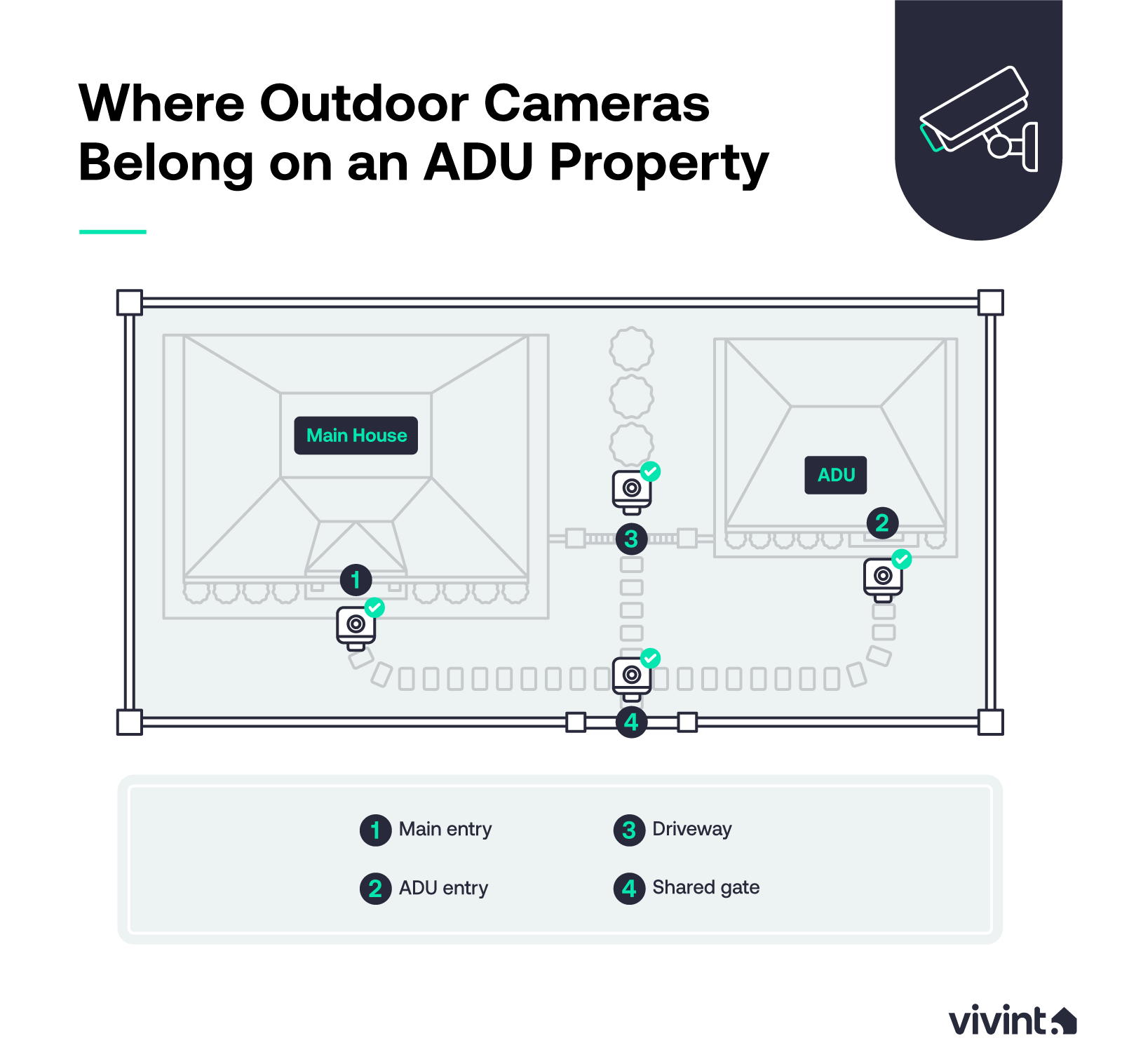
| The exterior entry points of both the main house and the ADU are fair game. An outdoor camera at the ADU's front door, at the shared driveway, and at any side or back yard access route gives you a full picture of who arrives and when. Doorbell cameras at both entrances add a second layer at the doorstep itself. | Inside the rented ADU. Many states regulate hidden or undisclosed cameras inside rental dwellings, and vacation rental platforms require full disclosure of any interior recording. An indoor camera belongs in your main house's living areas, not inside the unit you've rented. |
Shared exterior spaces
If the ADU shares a yard, a deck, or a driveway with the main house, angle exterior cameras so they capture the path of approach (the driveway, the gate, the walkway) and not the renter's windows or private patio. The goal is to record entry and exit, not to surveil the person living there. The same positioning principles apply to backyard and patio cameras across the shared yard.
Separate alarm systems, one Vivint app
One Vivint system can't cover two separate dwellings, so the ADU and the main house each need their own system. You add both to a single Vivint app and run them from one login. Set up this way, your tenant arms their unit at night without touching your alarm, and a sensor that trips in the ADU notifies the right people without waking everyone in the main house.
Why running both systems from one app beats juggling two setups
Managing two unrelated systems means two apps, two logins, and double the chance one gets neglected. With Vivint, each unit keeps its own system, but they all live in one app. That setup gives each unit its own keypad, its own arm and disarm codes, and its own routing for alerts.
How the two-system setup works
Each unit's system gets its own keypad near its door, its own user codes (assigned through the Vivint app), and its own routing rules. Door and window sensors in the ADU are tied to the ADU system. The same sensor types in the main house are tied to the main-house system.
When the ADU is unoccupied, you can leave its system armed independently of your own. When everyone is home, both can run in stay mode at night with motion ignored inside each unit and entry sensors active at the doors.
Related article
Renter's Guide to Home Security Systems
Shared utility detection: Water, smoke, carbon monoxide
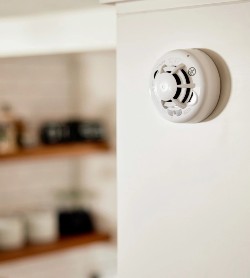
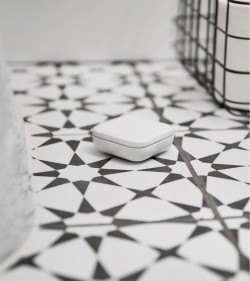
This is the least-discussed area of ADU planning and the one most likely to cost you money. An ADU often shares plumbing branches, electrical service, and even a roof with the main house. A slow water leak in the ADU bathroom can rot the main-house framing. A smoke event in the ADU at 2 a.m. is everybody's problem.
| Smoke and Carbon Monoxide | Water Leak Sensors |
|---|---|
|
|
The most common mistake ADU owners make
Most ADU owners over-share security access with renters, and the access overshare is what creates the privacy and legal problems the separate dwelling was meant to prevent. The four oversights below are the ones that show up the most:
- Sharing the main-house arm and disarm code with the renter. If your tenant ever needs to come into the main house (for a delivery or a meter reader they're letting through), give them a one-time guest code, not your primary code.
- Granting renter access to the master Vivint app. The tenant should be a user on the ADU system only, with their own login. They shouldn't be able to view main-house cameras or arm and disarm the main-house alarm.
- Putting a camera inside the rented ADU**.** Even with disclosure, this is a friction point. Outdoor coverage at the ADU entry is the right line.
- Wiring the ADU into the main-house system. Every sensor that trips in the ADU shouldn't trigger your bedroom keypad at 3 a.m. A separate system in each unit is what keeps the two independent.
The right setup has separate codes per person and per door, separate app permissions for the renter, no interior camera in the rented unit, and a separate alarm system in each of the two homes.
Related article
How a Security System Can Score You a Homeowner's Insurance Discount
A quick ADU smart-home checklist
Run through the seven points below before move-in day. Each of these decisions is easier to make now than to fix later.
- Smart door lock. Separate keypad codes per person, full activity log in the app, auto-lock interval set, and the main-house code is never shared with the renter.
- Outdoor camera. Covers the ADU entry, the shared driveway, and the side access. Angled away from the renter's windows and any private patio.
- Indoor camera. Main house only. Never inside the rented ADU.
- Doorbell camera. One at each entrance, routing notifications to the right unit's app.
- Alarm panel and sensors. A separate system in each unit, separate keypad and arm/disarm codes per unit, and entry sensors on every door and ground-floor window in both units.
- Smoke and CO detector. Needed in each unit. Monitored alerts route to both occupants and the monitoring team.
- Water leak sensor. Placed under sinks, around the water heater, and near any washing machine. Alerts route to you first.
Plan your ADU and main house together
An ADU and a main house don't need two separate apps, two logins, or two sets of passwords to keep track of. Each unit gets its own system, and one Vivint app ties them together so you can see which sensor belongs to which unit, who is allowed to do what, and which alerts go to which phone.
The day your renter moves in, or your mother-in-law unpacks, the door codes work as they should, the cameras stay outside, each unit's alarm stays separate, and the smoke and water sensors cover both units as the building's plumbing and roof already do.
Vivint can equip your ADU and main house each with its own home security package, all managed from one app, with monitored detection for both, and a setup that respects the privacy line on both sides of the door.
Give us a call today at 855.822.1220 to get started on your system.
Download your free smart home guide.
Learn everything you need to know about the value and security of a smart home in one quick, easy read.
Frequently asked questions
Here are the questions that come up most when homeowners are setting up smart-home security across a flexible living space like an ADU.
Do I need a separate alarm system for my ADU?
Yes. One Vivint system can't cover two separate dwellings, so the ADU and the main house each get their own system. You add both to one Vivint app, so you manage everything from one login.
How do I give my renter access to my smart lock?
Issue a code through the Vivint app tied to the ADU door only. You can set the code as permanent, scheduled (a tenant's lease window), or one-time (a contractor). When the lease or access window ends, delete the code without rekeying.
What's the best smart lock for an ADU?
Features matter more than the brand. Look for multiple user codes, scheduled access, full app history, auto-lock, and integration with the ADU's own Vivint system, just as your main-house security runs on its own. Because every system you own lives in one Vivint app, a lock that ties in means you still manage one app, not two.
Can I put a camera in my ADU?
Outdoor cameras at the ADU's exterior entry points are common and often appropriate. Cameras inside the rented portion are usually not allowed: many states regulate them, rental platforms require disclosure, and trust costs are high if a renter finds one. Outdoor coverage plus a smoke and CO detector is the right setup.
How does Vivint handle multi-unit smart home setups?
Each dwelling gets its own Vivint system, and a single Vivint app can hold more than one of them, so you manage every unit from one login with its own keypad, user codes, and alert routing. Professional installation handles the wiring and keypad placement in each unit.
Does an ADU add property value to my primary residence?
An ADU on a single-family lot typically lifts resale value beyond construction costs, since potential buyers see both the extra living unit and rental income potential. Total ADU cost varies widely by market, but property taxes only rise with the added square footage; most owners report a strong return on investment after a few years of occupancy.
What's the difference between an ADU, an in-law suite, and a granny flat?
They're mostly the same housing unit, just under different names: a small additional dwelling on the same lot as the main home or primary residence, often with a kitchenette, bathroom, and separate entrance. An extra bedroom inside the main home isn't an ADU; a custom home addition with its own utilities usually is, depending on local zoning laws and the permitting process.
Get a free quote today.
A Vivint Smart Home Pro will contact you within 24 hours. Or skip the form and call now: 844.481.8630.
Everything works together
Combine products
for a safer home
You may also like:
Home Security
How Do Smart Locks Work?
Sep. 15, 2026
Home Security
10 Advantages of Smart Locks
Smart locks allow you to lock and unlock your door remotely with your smartphone, providing convenient keyless entry to your home.
Sep. 14, 2026
Home Security
Locked Out of Your House? Here's What to Do
Locked out of your house? Here's how to get back inside now, what to do within 24 hours, and how to make sure it never happens again.
Aug. 28, 2026
Related content
-
Home Automation Services for Smarter Living
Control Security Equipment & Smart Home Devices with a Vivint Home Automation System. Call 855.747.4838 for More Information about our Award Winning 24/7 Smart Home Automation Systems.
-
Security Camera Systems
Vivint's Home Security Cameras System allows you to keep an eye on your home via Indoor Security Camera & Outdoor Security Cameras all Accessible through Vivint’s App. Call 855-743-7375 to ...
-
Vivint Services
Home Security Services & Business Alarm Monitoring with Professional Installation with any Vivint Package Call 844.395.9444 to Learn More about our Award-Winning 24/7 Monitoring Services


