
A home inventory gets insurance claims paid faster. See the 4 ways to document your home, ranked by speed, and why your cameras do it best.
Cheap Home Security Systems vs. Smart Protection: What You’re Really Paying For
Key takeaways
- Upfront savings can mean trade-offs. Cheap home security systems may initially keep costs low, but they often compromise coverage, durability, and long-term value.
- System quality affects reliability. Smart home setups with professional installation and centralized control tend to work better in emergencies and integrate more seamlessly with other devices.
- Ongoing costs matter too. Monthly monitoring and support plans add to the price but also provide real-time response and fewer headaches over time.
- Monitoring options vary widely. DIY systems typically rely on self-monitoring, while full-service systems include professional monitoring and faster emergency support.
- Choose what fits your needs. A DIY setup might be fine for a small space or short-term use. For larger-home protection and peace of mind, a more comprehensive system is often worth the investment.
- Vivint HomeProtect is essential security at an affordable price. The Vivint HomeProtect system delivers the core protection you need. It’s simple, reliable, and priced like DIY.
A $20 camera and no contracts might sound like a win, especially if you're trying to protect your home on a tight budget. Cheap home security systems offer quick setup, low monthly fees, and total control. But when it comes to safety, what looks like savings upfront doesn’t always deliver long-term peace of mind.
Choosing the right home security system isn’t just about cost—it’s about value. A DIY approach might cover the basics, but it often depends on self-monitoring, multiple apps, and scattered devices. On the other hand, a professionally installed smart home system connects everything, cameras, sensors, and alerts, into one reliable network that works when it counts.
In this guide, we’ll compare DIY setups with full-service smart security systems. We’ll break down the actual cost, performance, and reliability of each, and help you decide which fits your space, lifestyle, and comfort level.
Whether you're upgrading for more coverage or starting from scratch, this guide will help you find the right balance between affordability and protection.
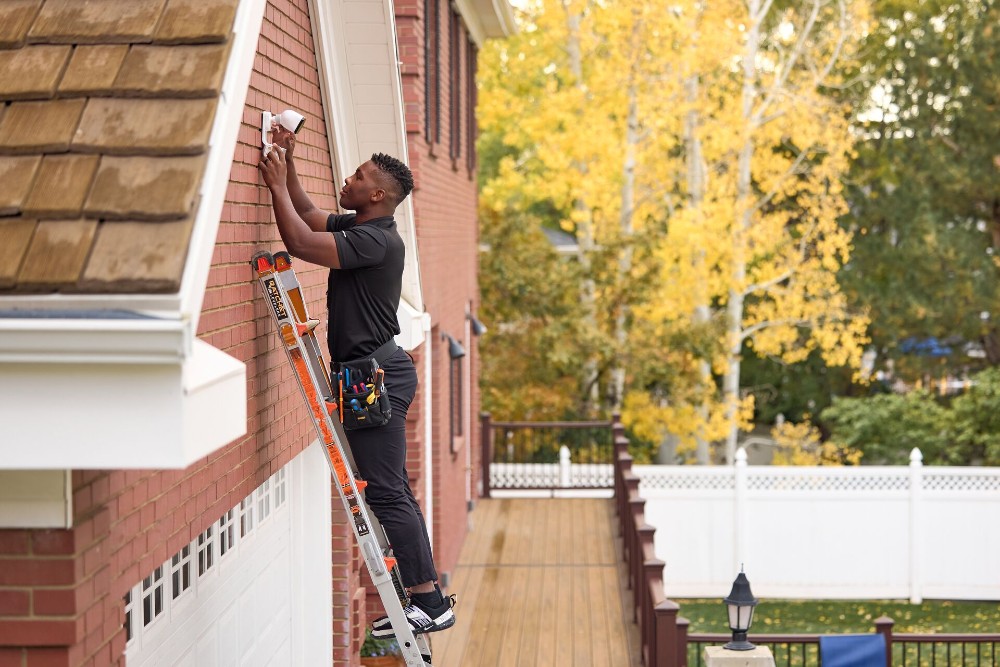
The appeal of cheap DIY home security systems
For homeowners (and renters) on a budget, cheap home security systems can be tempting. A quick online search reveals plenty of options: a $30 indoor camera, a bundle of entry sensors, low-cost security cameras, or a Wi-Fi-enabled alarm system that promises full coverage with no contracts and minimal setup.
It’s easy to see why DIY is appealing:
- Lower upfront costs. Many kits offer basic components for under $100.
- Simple installation. Most devices connect via Wi-Fi and sync through mobile apps, with no need for drilling or wiring.
- Self-monitoring options. You can skip monthly fees by handling alerts and updates on your own.
- Add-on flexibility. It’s possible to build your own setup piece by piece as needs or budgets allow.
- Smart home device compatibility. Some DIY options work with routers and virtual assistants, offering a basic layer of automation.
For small spaces like an apartment, garage, or vacation rental, a DIY setup may be enough. If you’re just looking to monitor a side door or storage shed, an indoor camera or motion sensor may be all you need.
But, while these systems may meet basic needs, they often come with trade-offs, such as limited support, reliability gaps, or the hassle of managing multiple devices. DIY security can work, but the question is whether it will work when it matters most.
Related article
Smart Home Installation: To DIY or Not to DIY?
What you get with a comprehensive smart security system
Comprehensive smart security systems offer more than just alarms and cameras; they respond in real time to protect what matters most. These professionally monitored setups are proactive, not reactive. They provide a reliable layer of protection that works whether you're at home, at work, or on vacation.
Here’s what makes a smart home security system truly effective:
- Professional monitoring. A 24/7 monitoring center responds to emergencies even when you miss a phone call or alert.
- Real-time alerts. You get immediate mobile notifications for unexpected activity—like a door opening or motion detected when no one is home.
- Smart home integration. Devices like smart locks and thermostats work together through a single control panel or app, streamlining daily routines and responses.
- Emergency support. From break-ins to fire or carbon monoxide detection, these systems can trigger a fast emergency response.
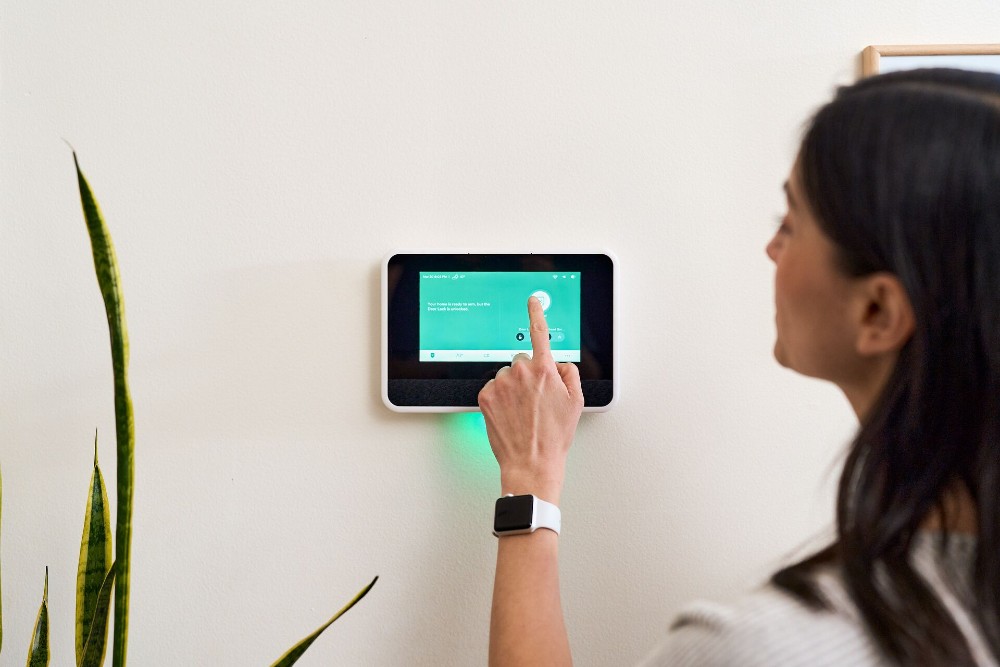
- Touchscreen controls. Centralized panels make it easy to manage settings, arm or disarm the system, and view system status at a glance.
- Cellular backup. Even if your internet goes down, the system stays connected for critical alerts and monitoring.
A smart security system also delivers peace of mind beyond basic protection. While you’re traveling, you can check live feeds, adjust the thermostat, or unlock the door for a neighbor all from your phone. Your home controls are just a tap away.
Unlike piecemeal setups, professionally installed systems are built to minimize false alarms, handle emergencies every time, and reduce the stress of managing multiple devices yourself. For many homeowners, that consistency and convenience are worth the investment.

Home security system costs: Upfront price vs. long-term value
At first glance, a DIY security kit might seem like the smarter financial choice. DIY setups are more affordable on paper, but security companies often offer professional-grade systems that reduce risk and deliver long-term value. With lower upfront costs and no monthly monitoring fees, it’s easy to assume you’re saving money. But when you take a closer look at long-term value, the picture changes.
A few things that impact the true cost of your system:
- Upfront costs vs. reliability. A basic kit may cost $150 or less, but cheaper equipment often means less durability, more false alarms, and shorter product lifespans.
- Ongoing monitoring options. Without a monitoring plan, you’re responsible for self-monitoring and handling emergencies yourself, which is not ideal during a burglary or while traveling.
- Risk-related costs. Professionally monitored systems can help prevent break-ins, reduce theft, and even lower your insurance premiums.
- Repair and replacement. When DIY systems fail or underperform, homeowners often spend more fixing or upgrading components than they would have if they’d started with higher-quality equipment.
Security isn’t just about avoiding fees; it’s about protecting your home and your peace of mind. The right system may cost more upfront or require monthly monitoring, but it also helps you avoid costly incidents and last-minute repairs down the line.
Related article
How Much Do Home Security Systems Cost?
DIY installation vs. professional installation: What you should know
Setting up a home security system can be either stressful or straightforward, depending on the installation. Both DIY installation and professional installation have their pros and cons, and the right fit depends on your comfort level with tech, time, and tools.
What DIY installation involves
With a DIY approach, you’re in charge of the entire setup process. That usually means:
- Ordering parts. Kits often include a base station, keypad, entry sensors, and cameras.
- Placing and mounting devices. You'll need to decide where to put each sensor and whether to use screw-mounting or adhesives, especially for indoor cameras, outdoor security cameras, or door sensors.
- Connecting to Wi-Fi. You must sync devices to your router and configure them through an app.
- Testing and troubleshooting. You’ll be responsible for making sure everything works and adjusting settings as needed.
For tech-savvy users or renters with limited installation needs, DIY can work. But even a small error, like placing a sensor too far from the base station, can affect performance during an emergency.
Why professional installation makes a difference
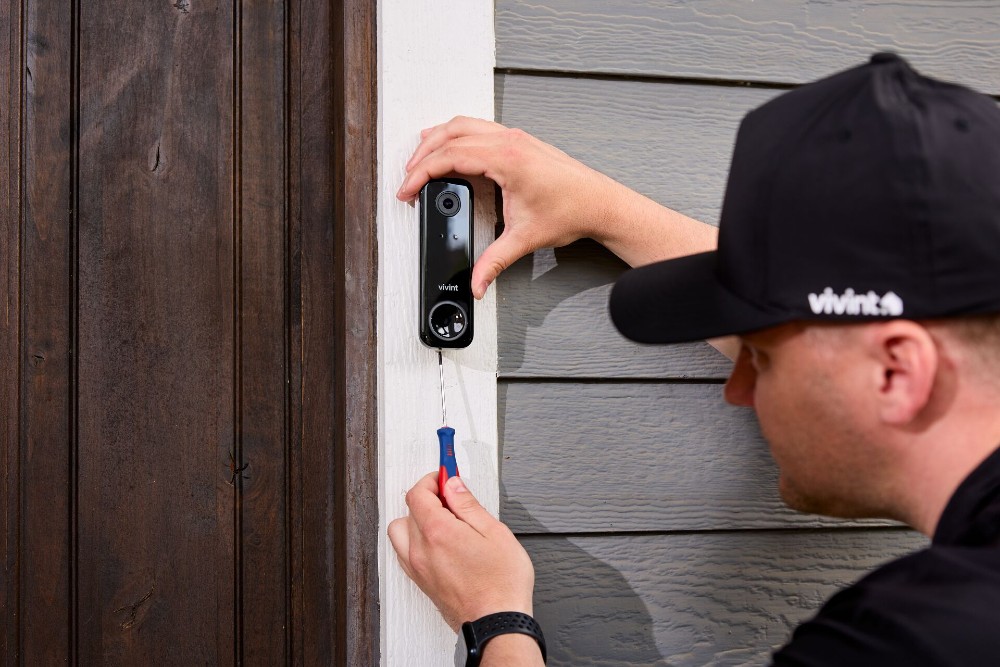
Professional installation takes the guesswork out of setup. An experienced installer can:
- Optimize placement. They know where to place motion detectors, entry sensors, and touchscreen panels for full coverage.
- Securely mount devices. Proper installation of the equipment reduces the risk of dislodging or signal issues.
- Set up the system quickly. You avoid app syncing headaches and setup delays.
- Walk you through usage. You’ll get a hands-on walkthrough on how to arm, disarm, and control the system; no lengthy phone call or troubleshooting required.
A properly installed system isn’t just easier to manage; it’s more reliable when it matters. If you’d rather not spend a weekend watching how-to videos and adjusting settings, professional installation is likely the better choice.
Security features and device quality: What you’re really getting
As you’ve probably put together by now, not all security systems are built the same. Many DIY kits promise full coverage, but they often come with trade-offs in durability, integration, and performance. Comparing device quality across systems helps clarify what you’re really getting and what might be missing when it matters.
How Features Differ in DIY and Professional Security Systems |
||
|---|---|---|
| Feature | DIY setups | Professional systems |
| Outdoor camera | Basic weatherproofing; limited night vision or range | Built for all conditions; HD resolution with better detection |
| Indoor camera | Lower resolution and storage; basic alerts | High-quality video with smart home integration and reliable notifications |
| Video doorbell/doorbell camera | Limited live view and alerts | Real-time notifications, two-way audio, strong wi-fi performance |
| Motion sensors/glass break sensors | Varying range and sensitivity; DIY placement can be tricky | Professionally placed for accuracy and fewer false alarms |
| Window sensor | Adhesive-backed models that may detach over time | Securely mounted with a stable connection to the control panel |
| Smart assistant compatibility (e.g., Google Assistant) | Basic support; limited integration | Seamless voice control and home automation options |
| Reliability during outages | Dependent on wi-fi and home power | Includes cellular backup and battery support for uninterrupted protection |
DIY kits may offer the essentials, but professionally installed systems are built for real protection, such as stopping a burglar, avoiding outages, or capturing clear footage on security cameras when it matters. And because all devices work together, you’re less likely to miss critical alerts or deal with performance gaps.
Related article
Vivint Security Cameras that Whistle
The hidden costs of cheap DIY security systems
Cheap DIY systems often seem like a bargain, especially when you compare upfront prices to full-service options. But over time, those savings can disappear. Many low-cost setups carry hidden expenses that aren’t obvious until you start using them day to day.
Here are some of the most common hidden costs DIY users run into:
- Battery replacements. Most motion detectors and door sensors rely on batteries that need replacing far more often than expected, especially in high-traffic areas.
- Buying separate devices for full coverage. You might start with a basic bundle, but as your needs grow, so do the costs of add-on cameras, sensors, and accessories.
- Missed or false alerts. Lower-cost systems often struggle with accuracy, leading to false alarms or missed events, particularly those without professional monitoring services.
- Repairs from failed setups. Without expert installation, devices can loosen, disconnect, or stop working, leaving renters or homeowners to troubleshoot or replace them.
- Lack of support during outages or malfunctions. If your router goes down or a device fails, you may not have access to live support, and many systems lack reliable backup options like cloud storage.
For some renters or budget-conscious homeowners, these risks may feel worth it. But compared to the more integrated support and reliability most security companies offer, DIY setups often require more time and attention. Monthly fees for optional features, replacement parts, and the constant need to monitor the system yourself can chip away at both your wallet and your peace of mind.

DIY vs. comprehensive security: Which one fits your home best?
There’s no single answer when it comes to choosing the best home security system—only what works best for your space, lifestyle, and comfort level with technology. A DIY setup may be ideal for some, while others may feel more secure with a professionally installed, fully monitored system.
Use the table below to see which approach might better match your needs:
Which Home Security System Is Right for You? |
|
|---|---|
| DIY security setup | Comprehensive smart security system |
| Ideal for renters or those in temporary living situations | Better for homeowners and those looking for long-term protection |
| Works well in small apartments, outbuildings, or sheds | Works well for the same things as DIY, plus large homes with multiple entry points |
| Good for users comfortable with setup, apps, and self-monitoring | Suited for users who want 24/7 support, monitoring, and peace of mind |
| Often sold via marketplaces like Amazon with flexible month-to-month options | Typically available through direct providers with customized monitoring plans |
| Lower up-front cost, more control over what you install | More reliable coverage, fewer gaps, and quicker emergency response |
| May rely on separate apps or smart home devices with basic integration | Centralized control panels that tie into your entire smart home system |
Whether you’re considering cheap home security systems for a short-term solution or weighing the benefits of the best home security systems for long-term peace of mind, the right choice comes down to your priorities.
Consider your home, risk factors, and the level of hands-on control you want—then choose the path that offers the right balance of home alarm features, convenience, and protection.
Related article
Pros and Cons of DIY Home Security Systems
Why a smart security system is the smarter long-term investment
It’s easy to look at the price tag on a smart security system and assume it’s a luxury, but the reality is, it’s often the smarter investment. Over time, a professionally monitored, all-in-one system can actually save money, time, and stress.
Here’s how:
- Fewer false alarms. Professionally placed sensors and connected systems minimize false alerts, which can lead to fines or missed notifications.
- Lower risk of theft or loss. With 24/7 coverage, smart alerts, and a dedicated monitoring center, these systems help stop break-ins before they escalate.
- Insurance discounts. Many homeowners receive lower premiums for having a professionally monitored home security system in place.
- Energy efficiency. Home automation tools, like smart thermostats, lighting schedules, and system modes, can help reduce utility bills over time.
- Less hardware overlap. An all-in-one system eliminates the need for piecemeal devices; no more managing multiple apps, logins, or uncoordinated gadgets.
A smart security system also brings peace of mind that DIY setups can’t always match. With centralized control panels, real-time alerts, and a clear monitoring plan, you get a system that works when it matters and doesn’t leave you guessing in a crisis.
This kind of streamlined, professionally supported experience reflects the strengths of top-tier providers. When you invest in a smart system built to last, the return isn’t just financial, it’s a safer, more stress-free life at home.
HomeProtect: Smarter security at DIY prices
Vivint HomeProtect is the perfect option for shoppers on a budget who don’t want to compromise safety and product quality by going with a DIY system.
HomeProtect offers essential security features like motion detection, door/window sensors, and 24/7 professional monitoring, all at a price that fits your budget. With professional installation, you’ll have a seamless, worry-free setup to keep your home safe and secure.
HomeProtect can be purchased for as low as $199.99 with free install when signing a three-year agreement. Just pay the $24.99 monthly monitoring fee, and enjoy the top-tier home security Vivint is known for. There is also a no-long-term contract option available.
Related article
HomeProtect vs. HomeProtect Pro: What’s the Difference?
Final checklist: choosing the right home security system for you
Choosing a home security system isn’t just about finding the lowest price; it’s about choosing the right fit for your lifestyle, home layout, and comfort with technology. The best home security systems provide not just convenience, but peace of mind.
Use the checklists below to help decide which approach fits your needs.
A DIY security system may be right if you:
- Are looking at cheap home security systems to stay within a tight budget.
- Rent your home or plan to move in the near future.
- Live in a small apartment, studio, or shed.
- Prefer month-to-month flexibility without long-term contracts.
- Are comfortable with setup, troubleshooting, and self-monitoring.
- Don’t need professional installation, high-end security cameras, or advanced smart integration.
A comprehensive smart security system may be better if you:
- Want a smart security setup that’s reliable and all-in-one.
- Own your home and want a longer-term solution.
- Have a larger home with multiple entry points.
- Value professional installation and expert system design.
- Want 24/7 monitoring services and fast emergency response.
- Prefer centralized control through a single app or control panel.
- Want energy-saving features through home automation.
- Prioritize peace of mind and consistent protection over time.
There’s no universal solution; just the one that best fits your needs. For homeowners who want affordable and effective security, Vivint offers customizable smart security packages that balance cost and long-term peace of mind.
Get a free quote today.
A Vivint Smart Home Pro will contact you within 24 hours. Or skip the form and call now: 844.481.8630.
Everything works together
Combine products
for a safer home
You may also like:
Smart Guides
How to Make a Home Inventory for Insurance
Oct. 05, 2026

Home Security
Best Smart Home Devices for Elderly Parents: A Caregiver's Remote Setup
Set up an aging parent's home from yours: the smart locks, cameras, sensors, and alert pendant that let you help without hovering.
Oct. 02, 2026

Home & Family
Top Ways to Protect Your Smart Home From Cyberattacks
These tips will show you how to protect your home from cyberattacks during Cybersecurity Awareness Month.
Related content
-
Home Automation Services for Smarter Living
Control Security Equipment & Smart Home Devices with a Vivint Home Automation System. Call 855.747.4838 for More Information about our Award Winning 24/7 Smart Home Automation Systems.
-
Pros and Cons of DIY Home Security Systems
Learn the pros and cons of DIY home security systems, and see why you might want to rely on professional installation.
-
Best Affordable Home Security Solutions for 2026
Affordable home security doesn’t mean cutting corners. Learn smart ways to protect your home with low-cost systems and monthly savings.


