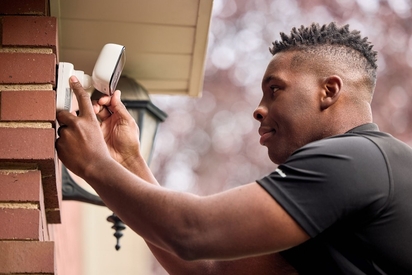
Learn about outdoor security cameras with our in-depth guide, covering features, placement tips, storage options, and top-rated smart devices.
Smart Locks for Homes: 2026 Guide to Keyless Entry Systems
Key takeaways
- Smart locks offer features like auto-lock, tamper detection, encryption, and activity logs—features you won’t find on a traditional mechanical lock.
- Smart lock technology is advancing rapidly, making these devices a must for protecting your home.
- Kwikset smart locks work with a Vivint system, meaning seamless control and protection from the Smart Hub or Vivint app.
In 2026, smart locks are no longer a luxury—they’re a foundational piece of modern home security and automation. Whether you’re managing a rental property, working remotely, or simply tired of fumbling with keys, the right smart lock can provide convenience, control, and peace of mind.
This concise yet comprehensive guide cuts through the noise to help you:
- Understand how modern smart locks function
- Explore real-world use cases for different types of households
- Compare top-rated models by features and use case
- Learn how to install, secure, and maintain your smart lock
- Discover smart automation tips and compatibility
- Get answers to common buyer questions
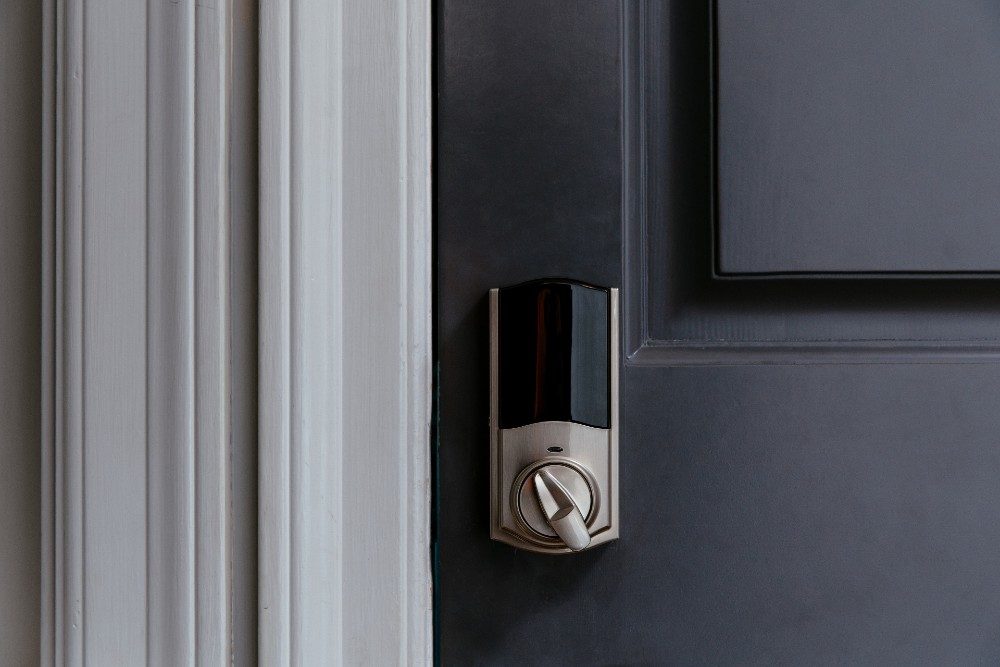
What is a smart lock?
A smart lock is a device that connects to the internet and can be used without a key. It allows users to control entry using a smartphone, keypad, fingerprint reader, or voice command. Most smart locks connect via Wi-Fi, Bluetooth, or Z-Wave, and integrate with smart home systems and voice assistants like Google Assistant.
Smart locks provide keyless entry, eliminating the need for a physical key. Many also support features like auto-lock, auto-unlock, and encrypted activity logs for added home security.
Types of smart locks
- Retrofit locks: Mount over an existing deadbolt
- Full replacement deadbolts: Replace the entire deadbolt lock mechanism
- Integrated smart lock + video: Combine lock functionality with a camera
What’s new for smart locks in 2026
Smart lock technology has advanced rapidly, and the 2026 models are smarter, faster, and more secure than ever. From seamless integration with Apple Home Key to AI-powered security alerts, today’s devices are built to simplify access while enhancing protection. Whether you're upgrading an older model or buying your first smart lock, here’s what’s new this year—and why it matters.
The latest smart lock models may offer offer:
- Built-in Wi-Fi for remote access without bridges or hubs
- Advanced AI alerts for unusual activity and tamper detection
- Support for Matter, Z-Wave, and other smart home devices
- Touchscreen keypads and fingerprint recognition for user-specific access
- Extended battery life and diagnostics via app notifications
Why the Vivint Kwikset Z-Wave Lock Stands Out
- Seamless ecosystem integration: It works directly with Vivint's smart hub, doorbell cams, sensors, lights, and thermostats—no extra bridge is needed. Locking/unlocking can trigger system-wide automation, such as disarming alarms, adjusting lights, or changing the temperature.
- Robust Z-Wave connectivity: This smart lock uses Z-Wave connectivity to keep your locks in communication with your home security system.
- Rich user controls: Supports up to 50 unique access codes, access/activity logs, and remote management through the Vivint app. You also get real-time notifications of lock activity.
- Professional installation & monitoring: Vivint offers professional installation and 24/7 monitoring, which ensures proper setup and ongoing service.
Who benefits from smart locks?
Families
- Unique codes for kids and caregivers
- Notifications and remote access to monitor use
- Auto-lock schedules that sync with routines
Airbnb hosts
- Auto-expiring guest codes for secure turnover
- Remote access from iPhone or Android
- Simplified management for multi-unit properties using one app
Remote workers and travelers
- Lock or unlock from anywhere with a Wi-Fi connection
- Let in cleaners or deliveries via voice command or temporary code
- Improve security with access logs and pairing to a full security system
Seniors or people living in accessibility-focused homes
- Control locks with voice assistants like Google Home
- Touch-free options via proximity sensors or Bluetooth
- Pair with video for enhanced visibility at the front door
Related article
8 Reasons to Consider Automatic Locks for Your Home
Are smart locks secure?
Yes—when installed and configured properly. Top models use:
- AES-128 or AES-256 encryption
- Two-factor authentication
- Secure mobile apps and encrypted logs
- Lockout protection and tamper alerts
Tips for safer use
- Set strong Wi-Fi passwords and change them periodically
- Use unique keypad codes for each user
- Update firmware regularly
- Choose a model with a mechanical backup key or emergency charging terminal
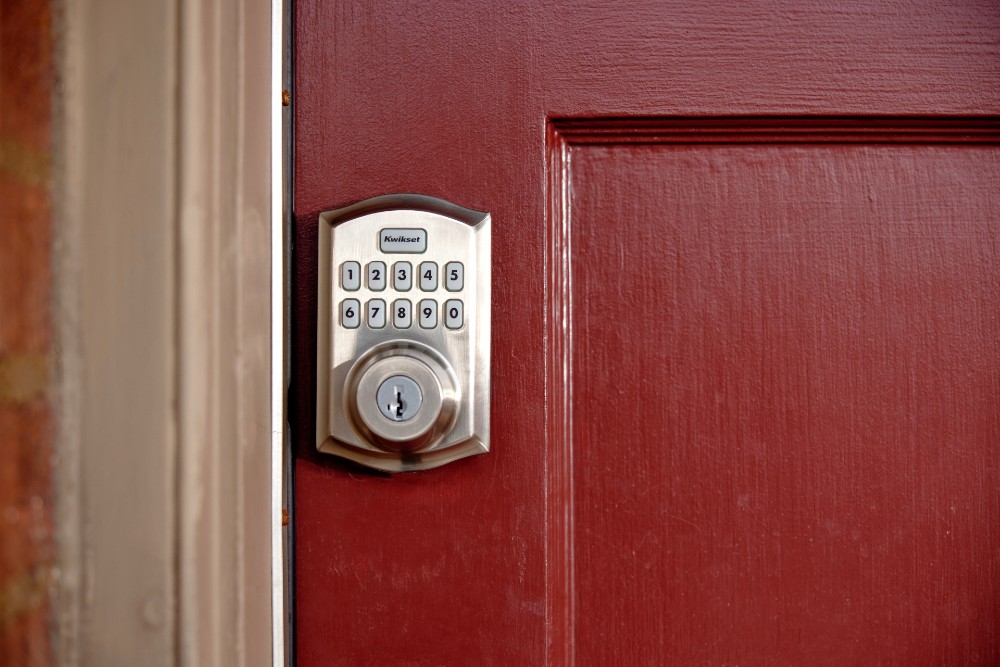
Door compatibility tips
Choosing the right smart lock depends on where it's being installed—here are some tailored tips for different types of doors, especially if you're integrating with a system like Vivint Security.
- Front doors: Prioritize smart deadbolt models with high durability
- Garages/side entries: Go for keypad-based locks with auto-lock
- Interior offices or nurseries: Use Bluetooth-only locks for local-only control
- Sliding or nonstandard doors: Measure door thickness and handle alignment; consider easy installation models
Smart lock setup guide
Once you've chosen the right smart lock, follow this step-by-step setup guide to ensure a smooth installation and integration, especially if you're syncing with Vivint Security or similar systems.
Tools required: Screwdriver, smartphone, secure Wi-Fi connection
- Remove the existing deadbolt lock and door handle components (if applicable)
- Install the smart lock mounting plate and internal mechanism
- Connect using Bluetooth, Wi-Fi, or Z-Wave
- Configure via app (e.g., Vivint, HomeKit, or Eufy)
- Test locking functions and set auto-unlock if supported
Troubleshooting tip: For homes with poor Wi-Fi coverage, use a Wi-Fi bridge or extender to ensure stable connectivity.
Tips for automation
Enhance your home with these smart lock automations:
- Lock doors automatically when your security system arms
- Use automation platforms like IFTTT or SmartThings to control smart home devices when doors are locked/unlocked
- Trigger lighting, thermostat, or camera recording based on lock activity
Example: When the wifi deadbolt unlocks at 6:30 PM, your lights turn on, your thermostat warms the house to 72°F, and your indoor camera deactivates.
Smart lock maintenance
Regular maintenance is essential to keep your smart lock operating smoothly and securely. Just like any connected device, smart locks require occasional attention to ensure longevity, proper function, and updated security features. Use the table below as a quick reference guide for key maintenance tasks and how often they should be performed.
| Task | Frequency |
|---|---|
| Replace or recharge batteries | Every 6–9 months, depending on the model and usage |
| Update firmware | Monthly |
| Clean the keypad or touchscreen | Monthly |
| Inspect the deadbolt function and alignment | Quarterly |
Tip: For peace of mind, set up notifications for low battery alerts and failed code entries.
Related article
8 Advantages of Pairing Smart Door Locks with Doorbell Cameras
Discover the best smart door lock systems from Vivint
Smart locks can go a long way toward making your home more manageable and safer. As a bonus, smart locks ensure you never have to worry about losing your keys again. If you’re ready to make the switch, explore the top-rated, quality smart locks offered by Vivint.
Ready to make the switch? Call 855.822.1220 for a free consultation today.
FAQs
Is the installation DIY-friendly?
Technically, yes—some smart locks are designed for easy retrofit installation. And with patience and basic tools, even full deadbolt replacements can be handled by confident DIYers.
But Vivint takes a different approach—and for good reason. Their system is built to work seamlessly with your entire smart home, which means every device needs to be precisely installed, synced, and optimized. That’s why Vivint includes professional installation as part of the experience. Instead of spending your weekend fumbling with screwdrivers, second-guessing compatibility, or risking an insecure setup, you get a trained expert who handles everything for you.
It’s fast. It’s precise. And it ensures your home is protected from day one—no guesswork, no gaps, just peace of mind.
How long is the battery life?
Battery life varies by usage and model, but most smart locks offer between 6 and 12 months. Models with built-in Wi-Fi tend to use more power, while Bluetooth-only or Z-Wave models conserve energy more efficiently.
Can I manage multiple locks remotely?
Yes—smart lock apps from brands like Vivint support multiple devices across different homes or properties. This feature is especially useful for managing several rental listings or entry points within a single residence.
Do smart locks integrate with Google Assistant or Siri?
Most smart locks are designed to be compatible with major voice assistants. Based on your preferred smart home ecosystem, look for support for Google Assistant or Siri.
Can smart locks be used for Airbnb or short-term rentals?
Yes, smart locks are one of the most convenient ways to manage guests' access without handing out physical keys. Create temporary or scheduled codes for each reservation and disable them after checkout.
What if the Wi-Fi goes out or the battery dies?
Most locks retain basic functionality through Bluetooth or a manual key. You’ll temporarily lose remote access, but you can still unlock your door locally. Many smart locks will warn you when batteries are low.
Can I see who accessed the lock and when?
Yes. Most smart lock apps include an activity log that shows which codes were used and when. This feature is particularly valuable for hosts, property managers, and parents.
Why should I get a smart lock?
Smart locks offer more than just convenience—they give you total control over who enters your home and when. Whether you want to monitor your child’s return from school, avoid the hassle of spare keys, or secure an Airbnb without meeting guests in person, smart locks provide real-time access control, alerts, and automation that traditional locks simply can’t match.
Will it work with my existing deadbolt?
The Vivint Smart Lock from Kwikset, does not work as a retrofit on your existing deadbolt. With professional installation as part of a Vivint system purchase, a smart home pro can help get your new lock up and running.
Here's how Vivint's smart lock differs:
- Replacement, not retrofit: Vivint smart lock replaces your entire existing deadbolt, both inside and outside components. It does not mount over your existing hardware.
- Standard door prep required: It expects a standard deadbolt borehole and backset.
- Requires Z-Wave connectivity: Vivint’s locks are Z-Wave enabled and rely on integration with the Vivint Smart Hub for remote access, automation, and notifications.
Is a smart lock really more secure than a regular lock?
When properly configured, yes. Smart locks offer enhanced features like auto-lock, tamper detection, encryption, and activity logs—features you won’t find on a traditional mechanical lock.
Smart locks are a scalable security solution
Smart locks in 2026 combine sleek design, robust security, and seamless smart home integration. Whether you’re upgrading a front door, securing a vacation rental, or streamlining access for kids, caregivers, or guests, today’s smart locks deliver a blend of convenience, safety, and control that traditional deadbolts simply can’t match.
They’re also scalable. You can start with one Wi-Fi smart lock and gradually build a whole-home access system that integrates with your home security devices, cameras, and lighting controls.
Unlike traditional locks, smart locks adapt to your lifestyle. They make life easier when you’re home and safer when you’re away. With features like remote access, user-specific codes, and voice assistant support, they’re the ideal solution for anyone looking to modernize their home’s first line of defense.
If you’re investing in a smarter, safer home, a smart lock is one of the most impactful upgrades you can make. With increasing compatibility, longer battery life, and easier installation, the transition from a mechanical key to a keyless entry lifestyle has never been more accessible or worthwhile.
Get a free quote today.
A Vivint Smart Home Pro will contact you within 24 hours. Or skip the form and call now: 844.481.8630.
Everything works together
Combine products
for a safer home
You may also like:
Smart Guides
The Essential Guide to Outdoor Cameras
Aug. 25, 2026
Smart Guides
Smart Smoke & Carbon Monoxide Detectors: Ultimate Home Safety Guide
Protect your home with a smart smoke detector that delivers fast alerts, CO monitoring, and seamless smart home integration.
Jun. 01, 2026
Smart Guides
Wireless Security Camera Buying Guide
Secure your home with our buying guide for wireless security cameras. Expert advice on selecting the perfect camera, whether for indoor or outdoor surveillance.
May. 29, 2026
Related Content
-
Smart Door Locks & Electric Door Lock
Vivint’s Smart Door Locks allow you to Unlock your Doors right from your Smart Phone Call 855.720.1196 to Learn More about our Award Winning Automation Services.
-
Smart Door Lock vs. Traditional: Which Is the Best Choice for Your Home?
Learn the pros and cons of smart door locks and traditional locks to determine which is the best fit for your home security needs.
-
Keyless Entry Door Locks: Everything You Need to Know
Vivint's guide to keyless entry door locks—smart, secure, and easy to use with app control, auto-lock, and pro installation.


